Australian salon software for hair, barbers, spas and clinics

Run your salon beautifully.

A calendar you can read at a glance, forms signed before anyone sits down, and checkout with your own card reader.A calendar you can read at a glance, forms signed before they arrive, and checkout with your own card reader. One plan.

Made with the same care you give your clients. A calendar you can read at a glance, forms signed before anyone sits down, and checkout with your own card reader. Everything’s in one plan.A calendar you can read at a glance, forms signed before they arrive, and checkout with your own card reader. One plan.

We’ll use your email to tell you when BOOCT opens and about early access. See our privacy policy.

From $30 a month · every feature included · no lock-in

Pay nothing today and leave whenever you like. Opening to Australian salons first.

See how it works ↓
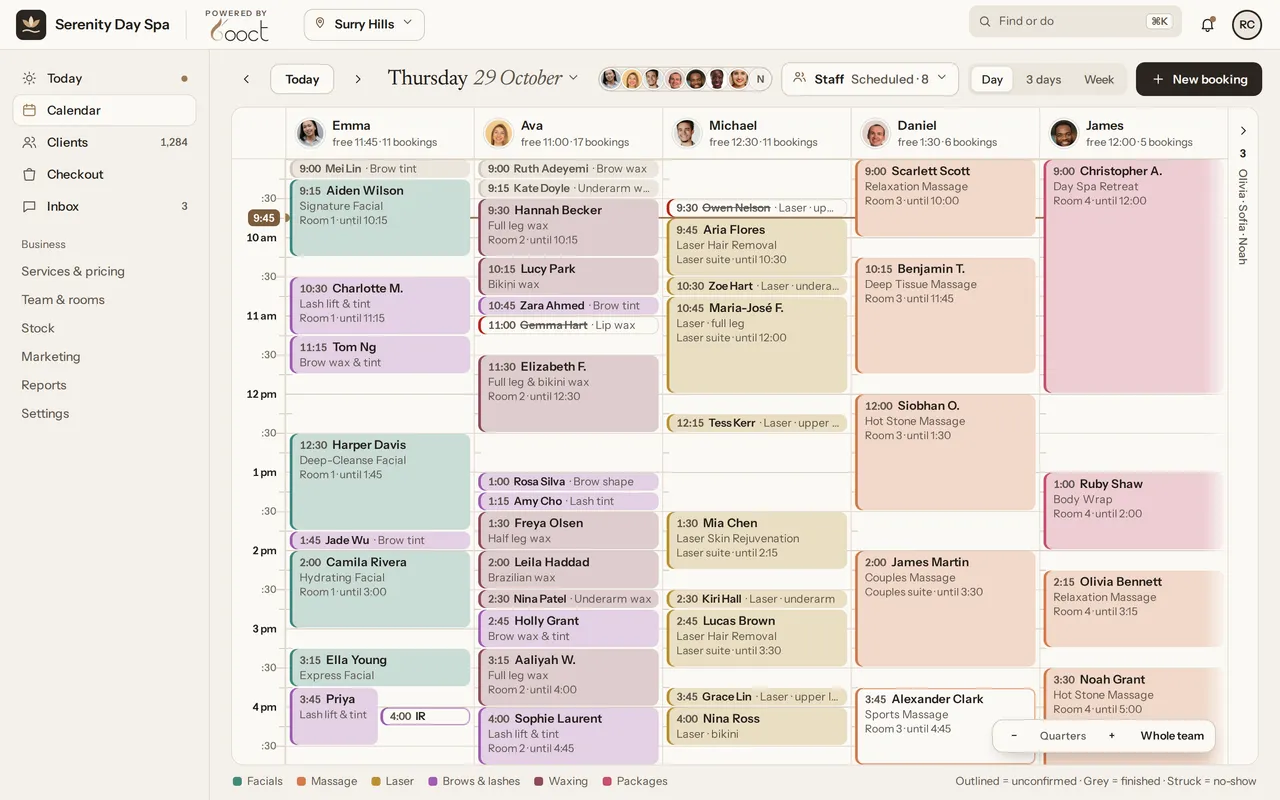
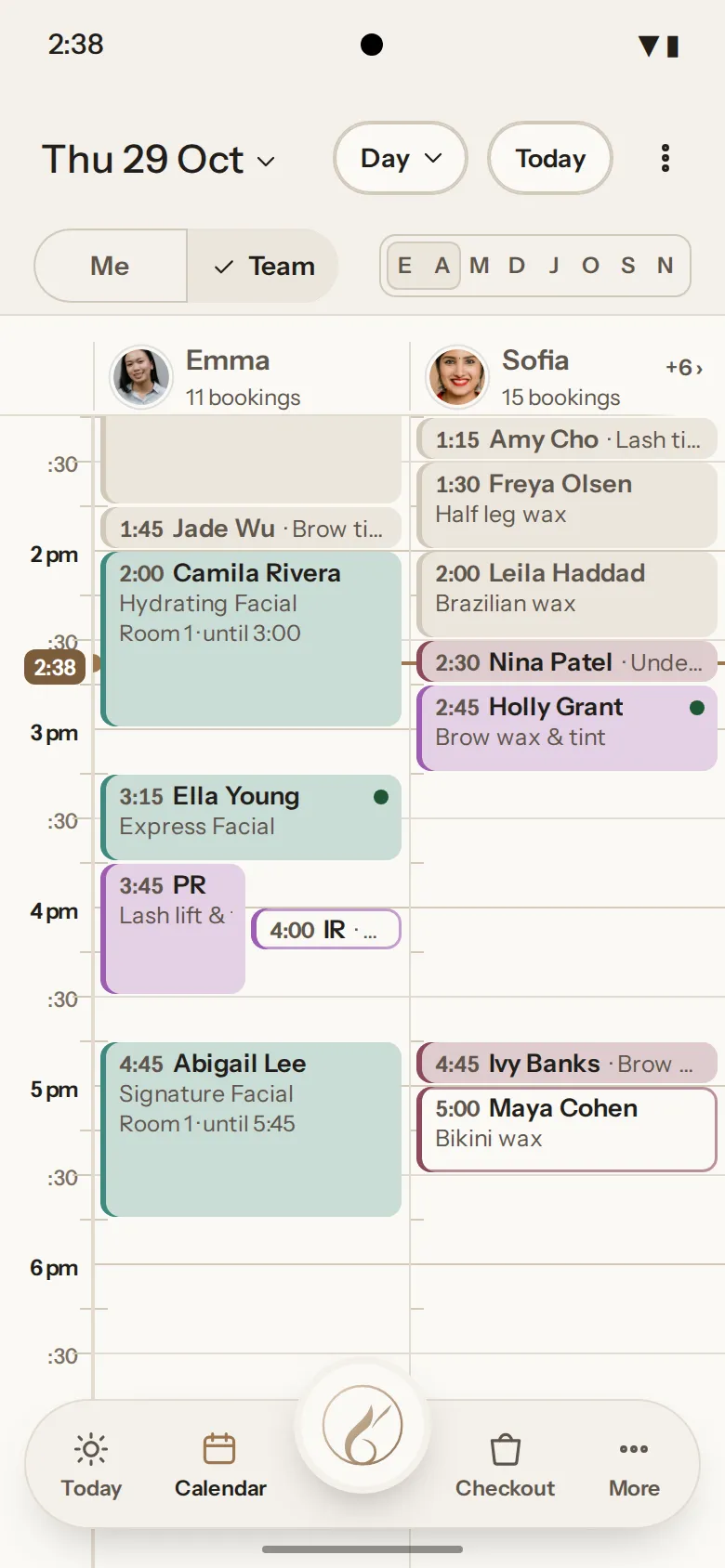
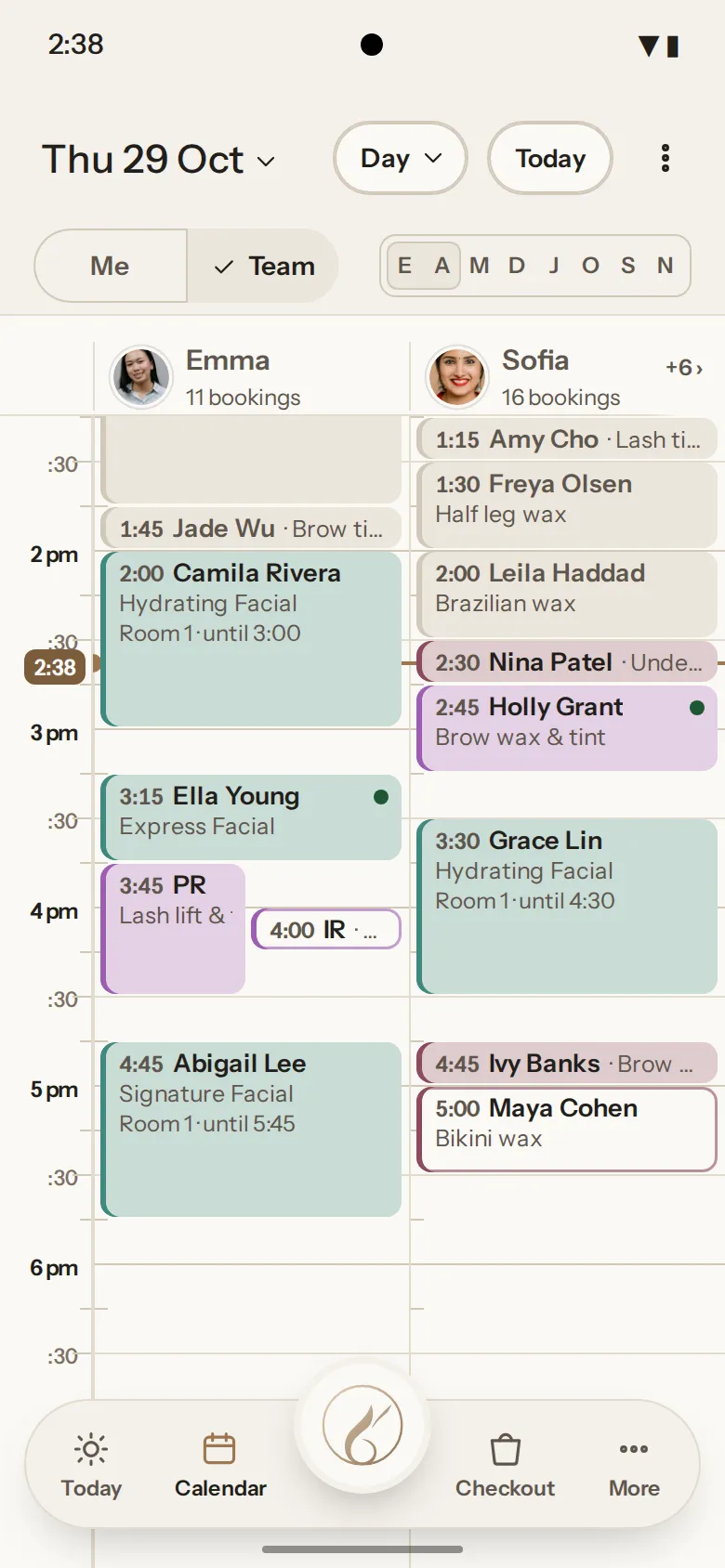
The Booct calendar for Serenity Day Spa, Surry Hills, on Thursday 29 October: one column per team member with the day’s bookings by start time.
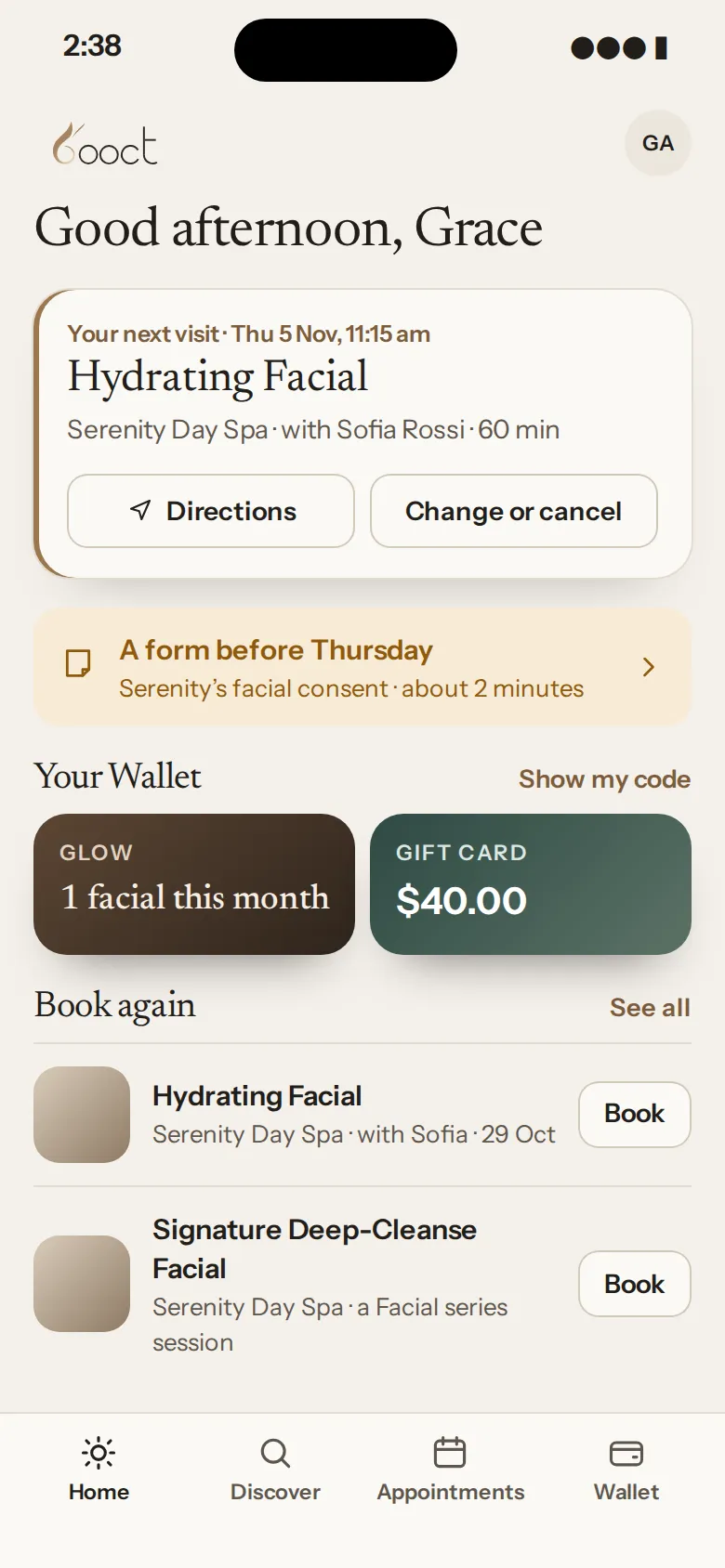
The client app home: Good afternoon, Grace, the next visit, the Wallet and Book again.
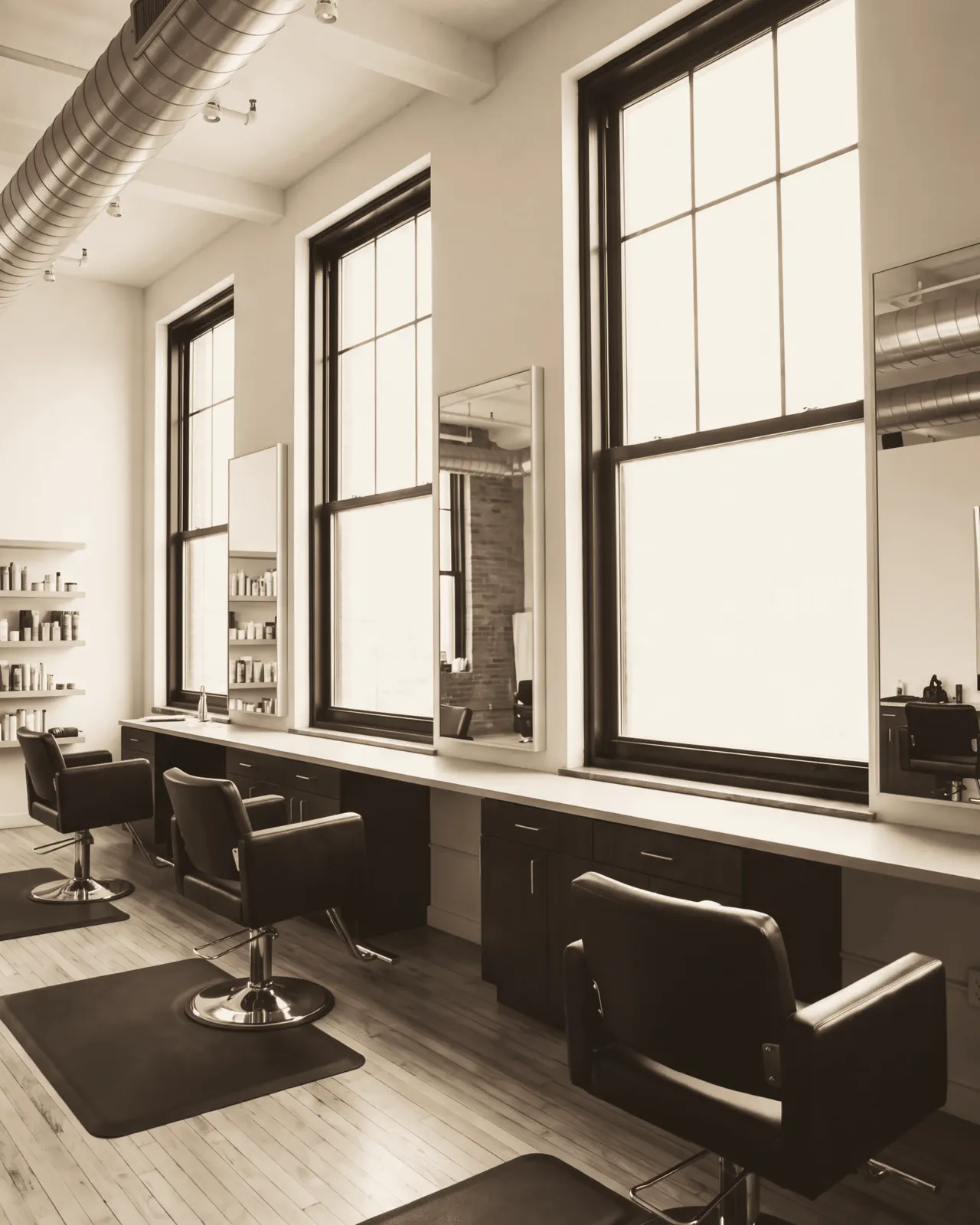
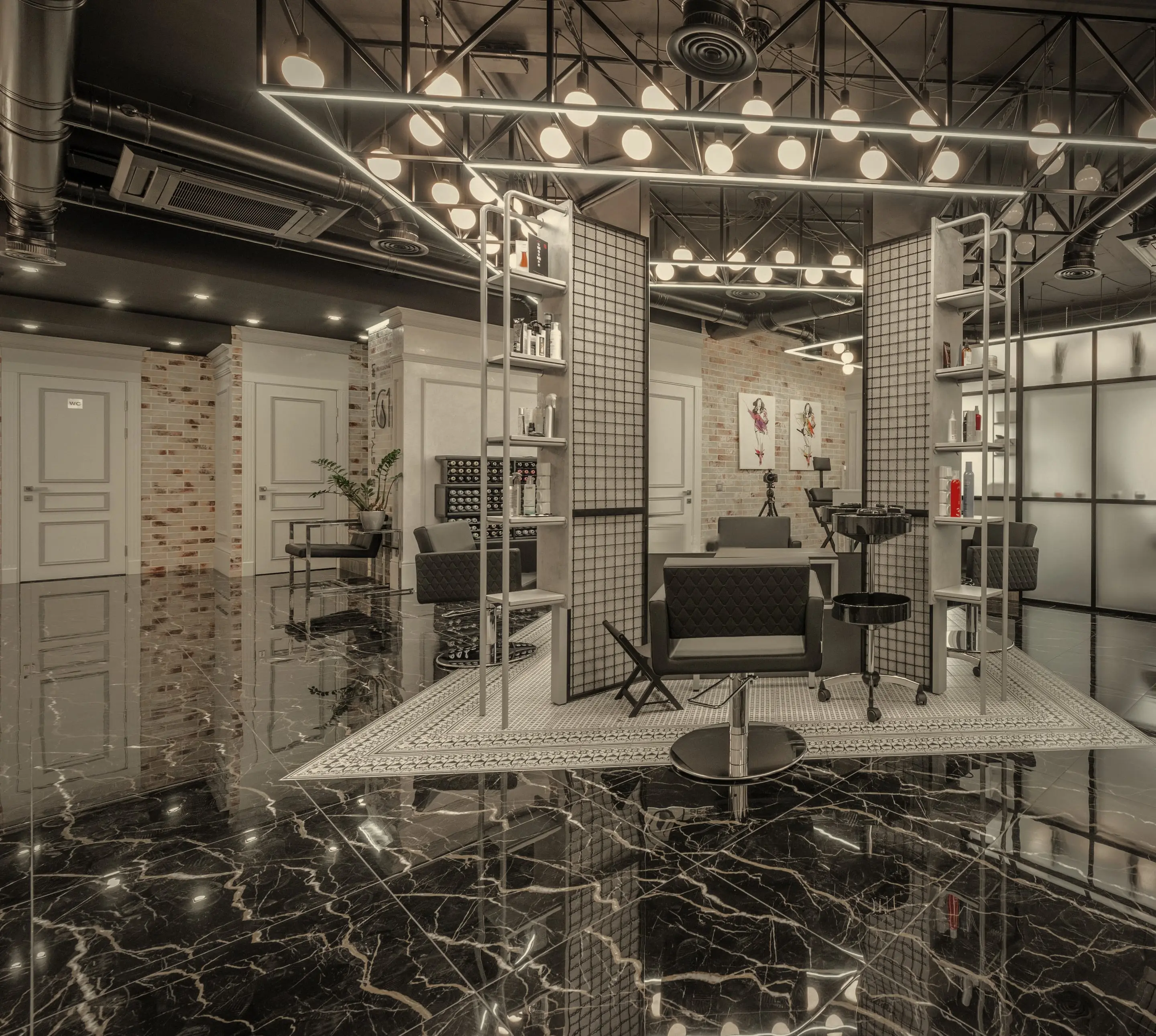
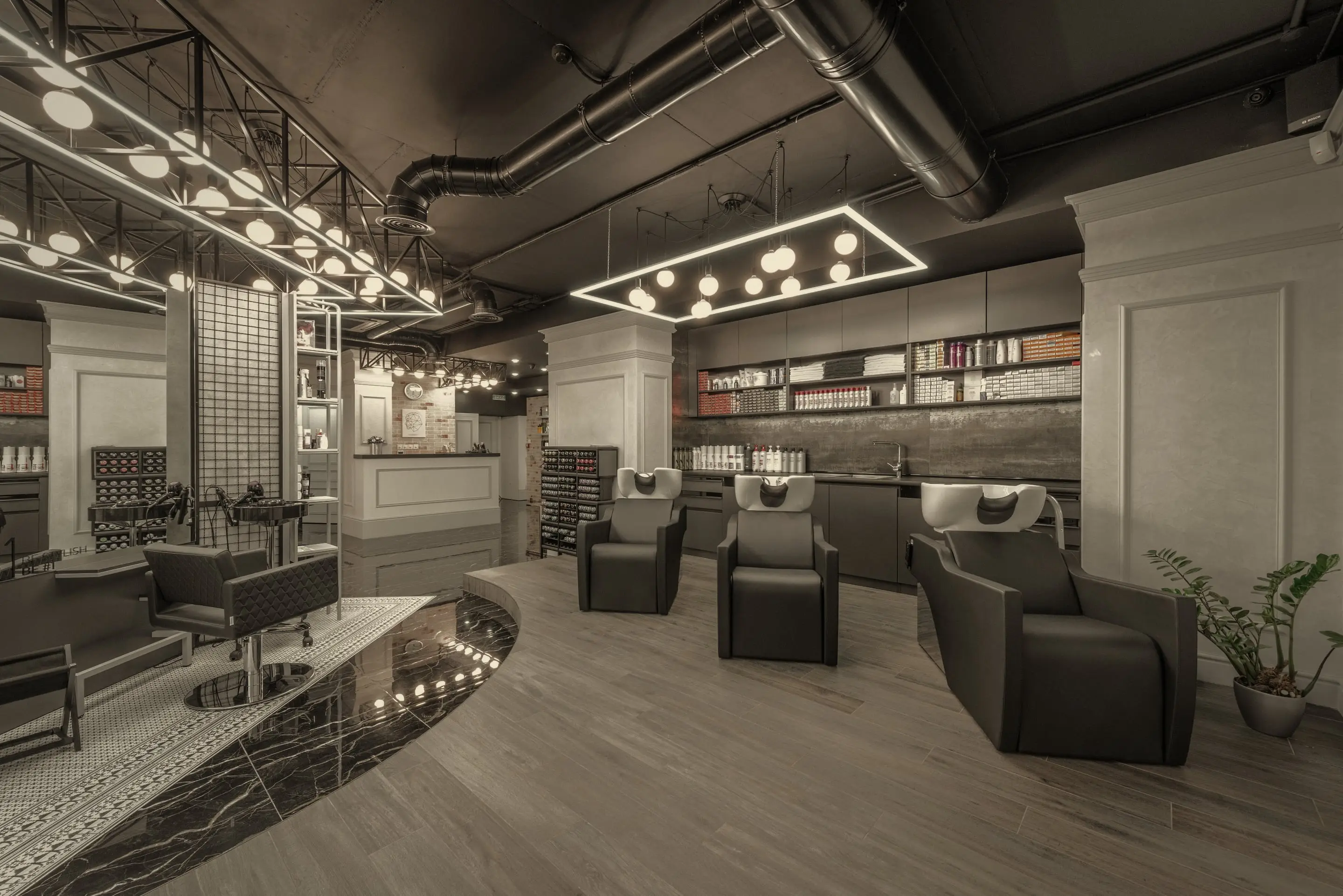
A light-filled salon floor: styling chairs in a row beneath tall windows, mirrors and a shelf of products.
The client app home: Good afternoon, Grace, the next visit, the Wallet and Book again.

Why salons switch

  • 0% on your card paymentsBOOCT takes nothing from what you take at the desk or online. Only your provider’s own fee applies.
  • No commissionBOOCT never takes commission on your bookings.
  • Every feature, one price per personNo tiers to climb. From $30 a month.
  • Clients and bookings moved freeWhen you join, send us your export and we’ll bring your clients, services, team and bookings across.

The calendar

A calendar your front desk can read at a glance.

We built BOOCT for our own salon first. So every booking leads with what the front desk needs: the start time, then the client, the service and the room. And the buffers you set between appointments stay put.

The BOOCT day calendar for Serenity Day Spa on Thursday 29 October, one column per team member on a quarter-hour grid. Tom Ng’s 11:15 brow wax and tint with Emma is dragged down to 12:00; it is refused because Room 1 is booked until 12:30 by James’s client, and the booking stays where it was. It is then dragged to 11:30, where it lands. A message reads “Moved Tom Ng to 11:30 am. Tom gets the new time in 10 s”, with Don’t send and Undo buttons; Don’t send is tapped, and the message reads “Moved. Tom won’t be told”, with Undo still offered.
  1. A column for everyone

    Each person gets a full, readable column. A bigger team scrolls sideways, so nobody’s squeezed into a sliver.

  2. Quarter hours, at a glance

    Every 15 minutes is marked, with half-hour lines that adjust as you zoom. Nothing to set up.

  3. Drag to move. One tap to undo.

    Move a booking to a new time and BOOCT checks the room and equipment first. Then it’s one tap to undo it, or to keep the change quiet.

Online booking

Booked at 10:47 pm, while you were asleep.

Your own booking page takes bookings day and night, with a deposit if you want one, and drops them straight into your calendar.

  1. Open all night

    Clients pick the service, the person and the time from your link, all in your logo and palette.

  2. A deposit, paid to you

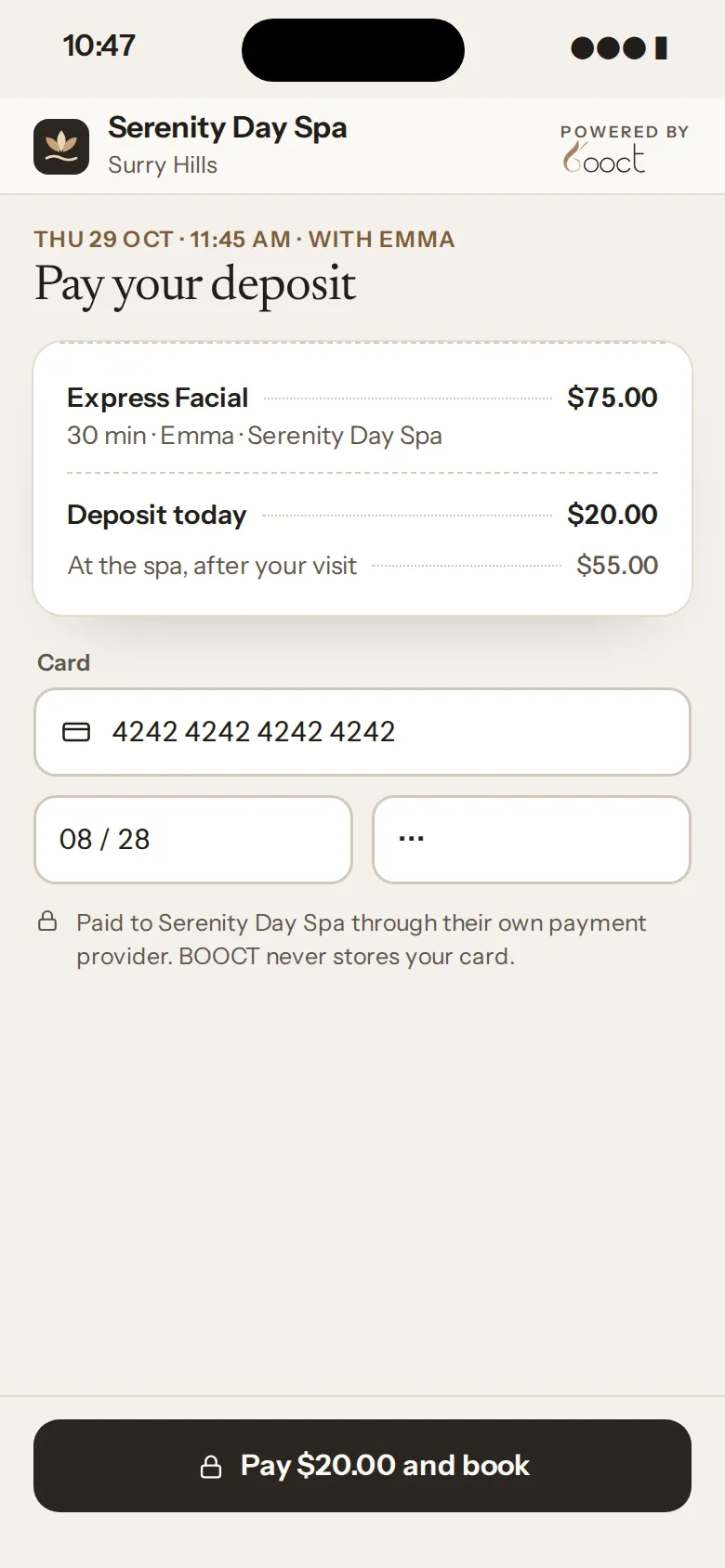
    Ask for a deposit, a card on file or the full amount, paid into the Stripe or Square account you connect at launch.

  3. Waiting for you in the morning

    It’s already in the right person’s column. Nothing to copy across.
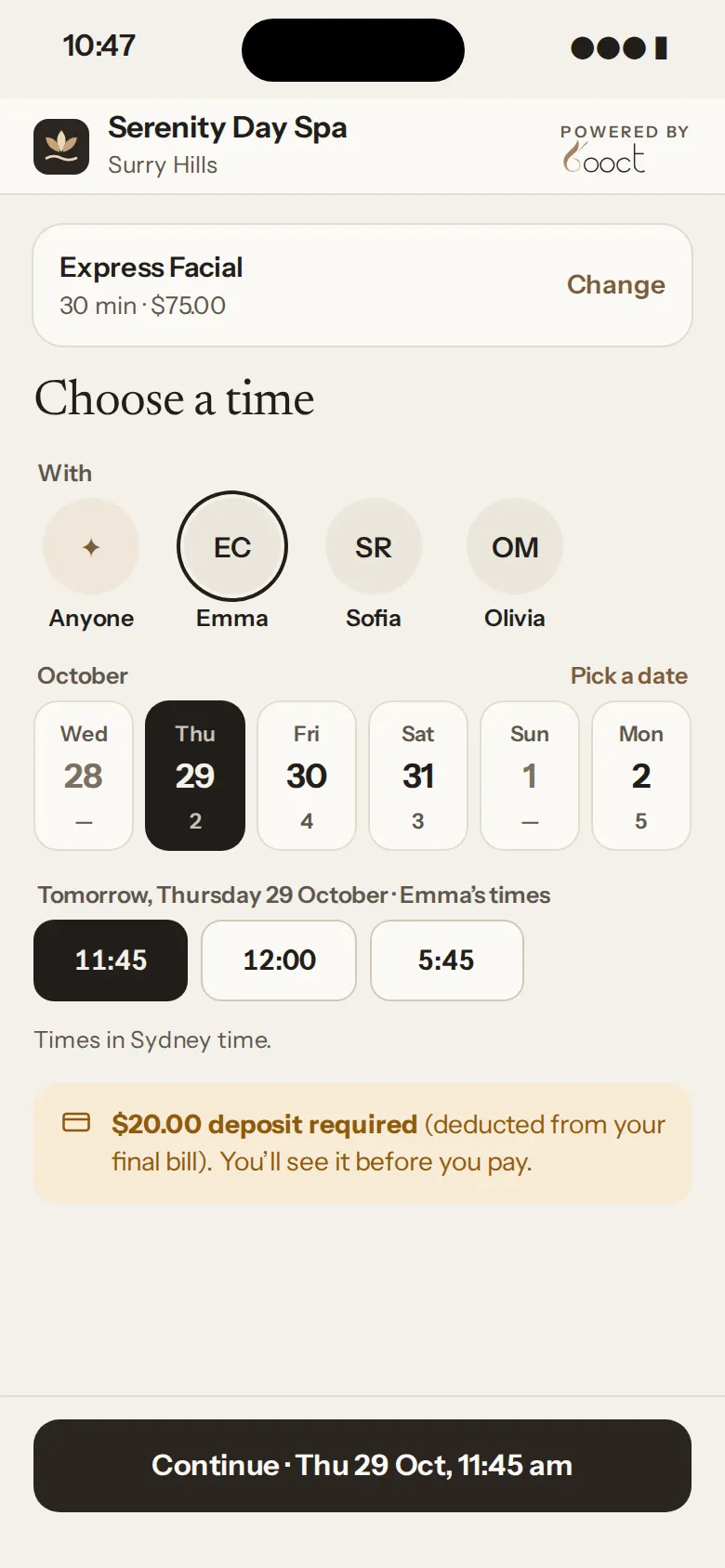
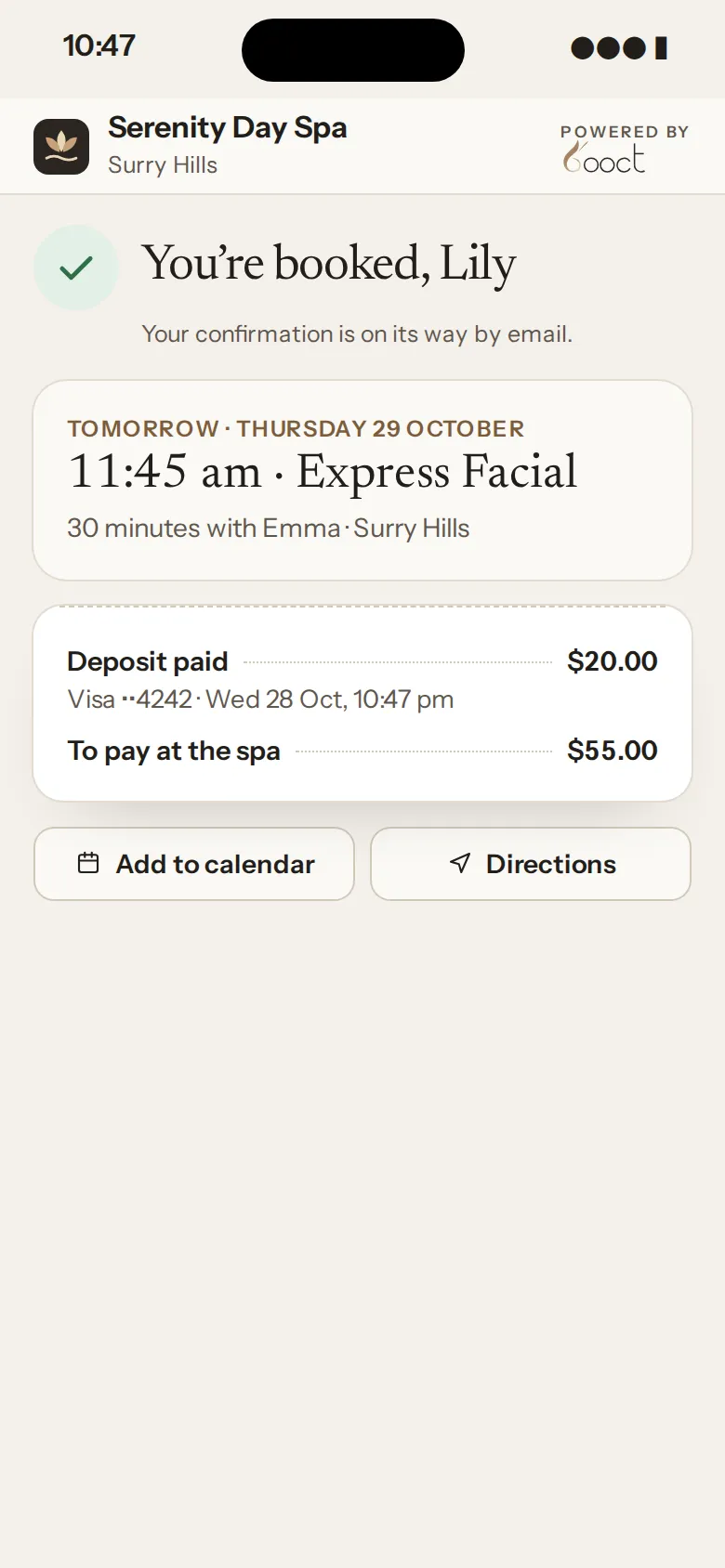
Wed 10:47 pm · her phone
Booked: Express Facial tomorrow, Thursday 29 October at 11:45 am with Emma, with the $20.00 deposit paid and $55.00 to pay at the spa.

One plan

The whole salon, in one app.

The same app runs your front desk, your treatment rooms and the phone in your pocket.

01At the front desk

Point of sale & retail

One receipt for everything they buy.

Services, retail, gift cards and memberships sit on one menu, and the receipt stays beside you the whole time. No pop-ups over the cart.
  • At launch, connect your own Stripe or Square account and card reader
Join early access
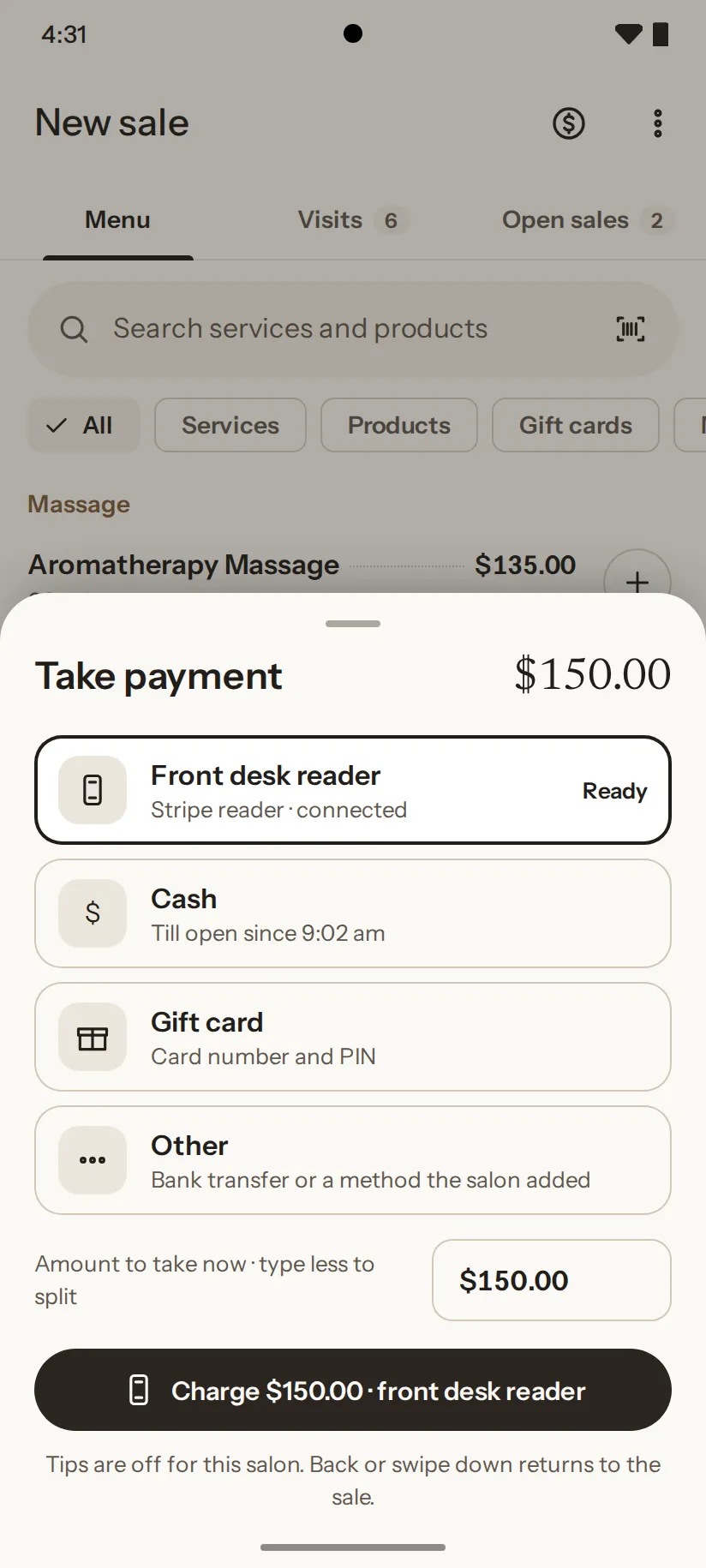
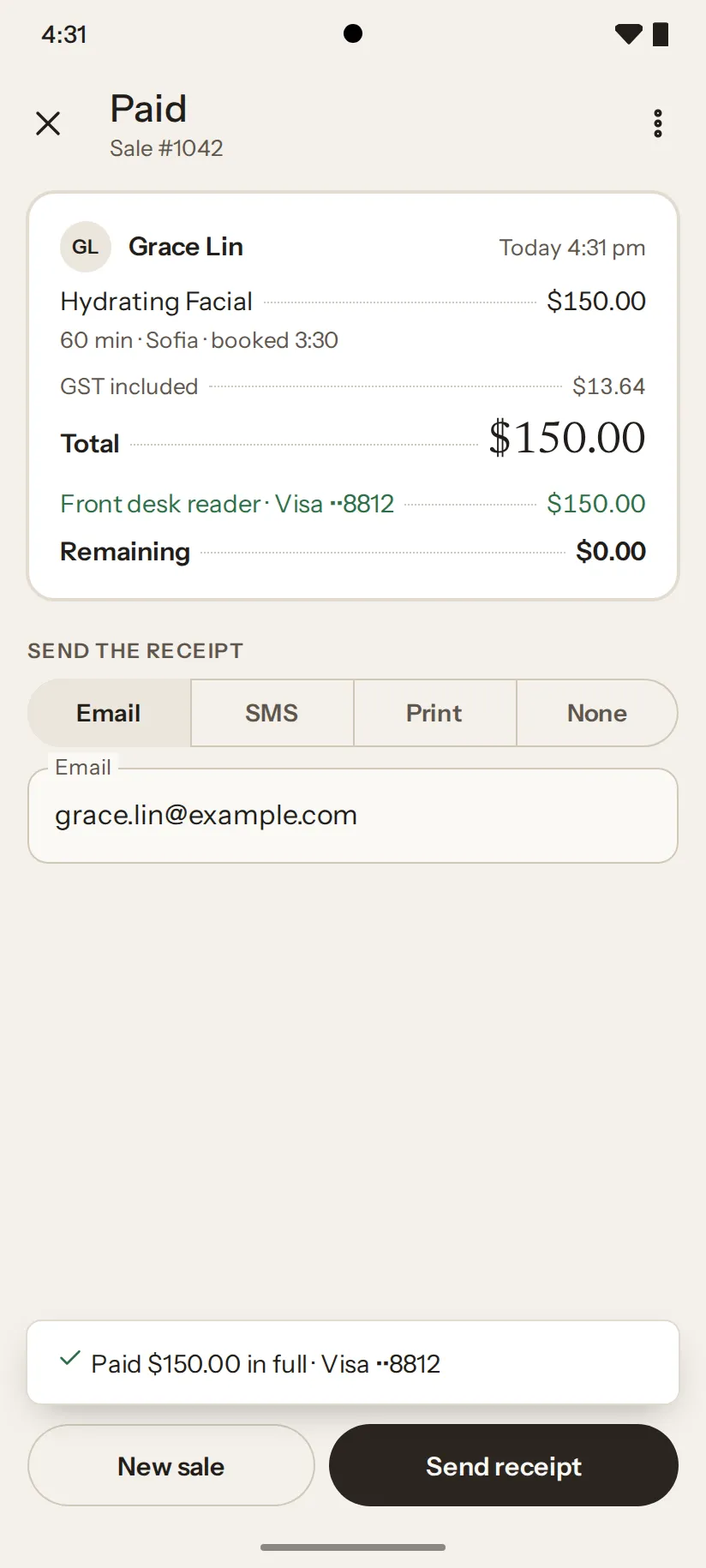
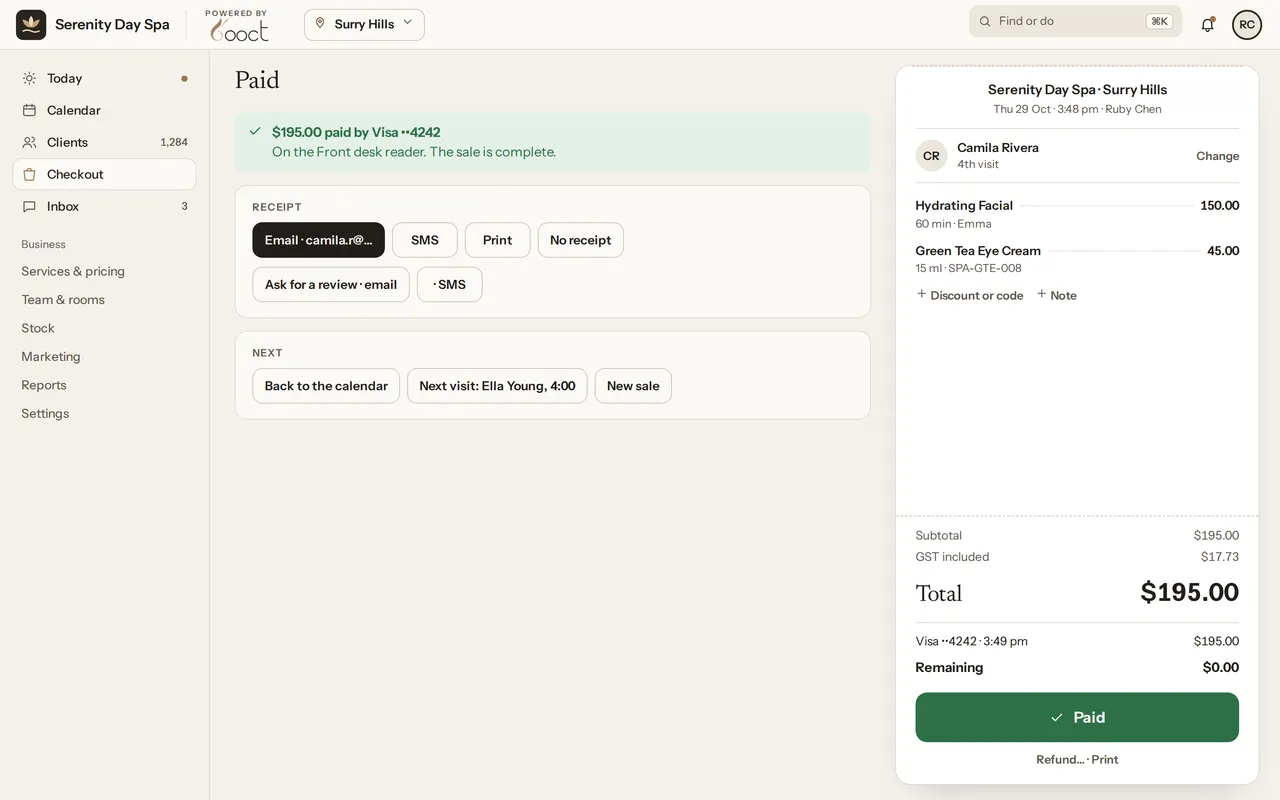
The finished checkout: $195.00 paid by Visa on the front desk reader for Camila Rivera’s Hydrating Facial and Green Tea Eye Cream, $0.00 remaining, the receipt ready to email.
A checkout at Serenity Day Spa, step by step:
  1. Add the serviceHydrating Facial with Emma · $150.00
  2. Add a productGreen Tea Eye Cream · $45.00
  3. Charge the card reader$195.00 on the front desk reader
  4. PaidReceipt by email, sale complete

02In the treatment room

Consent & intake forms

Forms signed before they sit down.

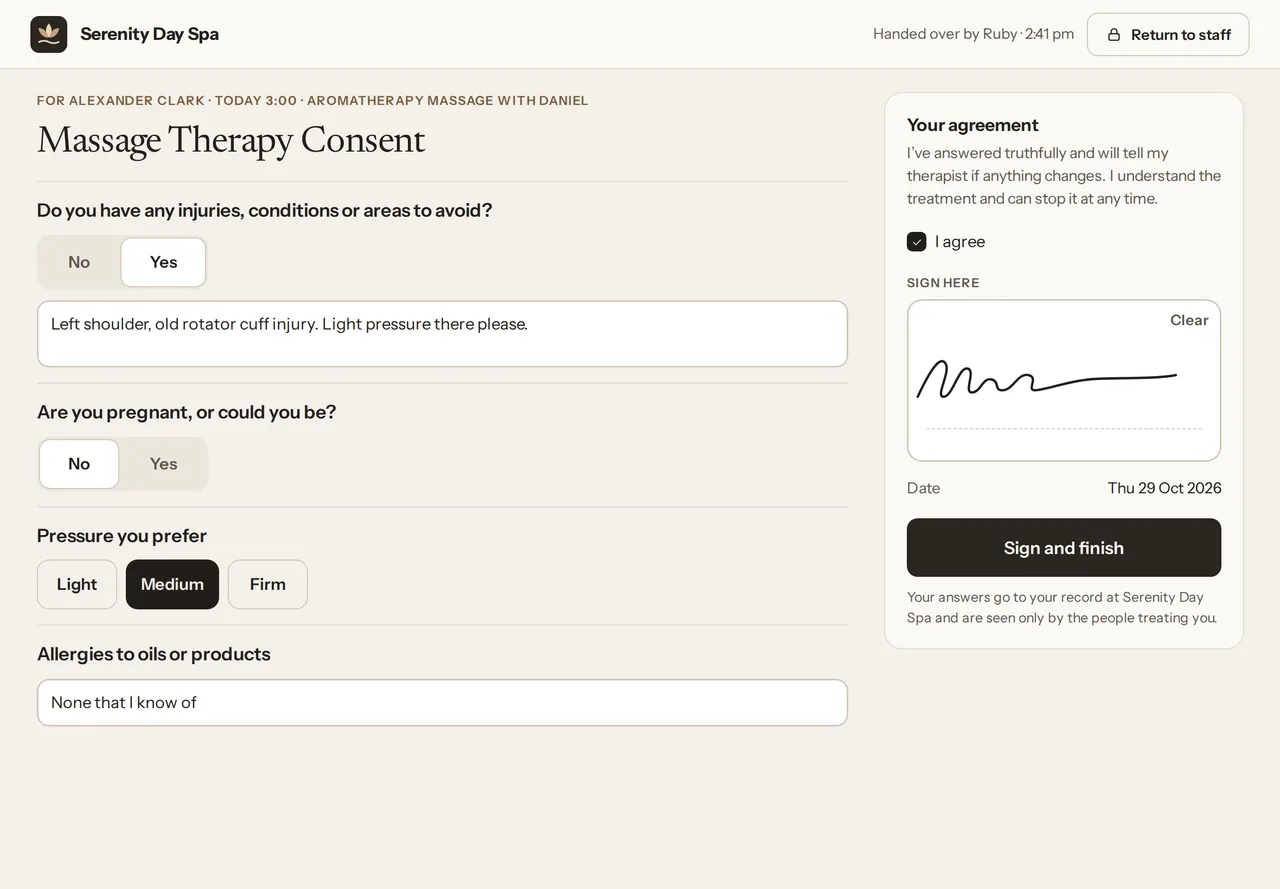
Build your own consent and intake forms. They go out with the booking confirmation, and clients sign on their phone, or on the salon iPad when they arrive.
  • A reminder goes out 24 hours before if a form’s still unsigned
  • Paper forms can be uploaded to the client’s record
A client signing the massage therapy consent form on the salon iPad.

Treatment forms

Records that fit the treatment.

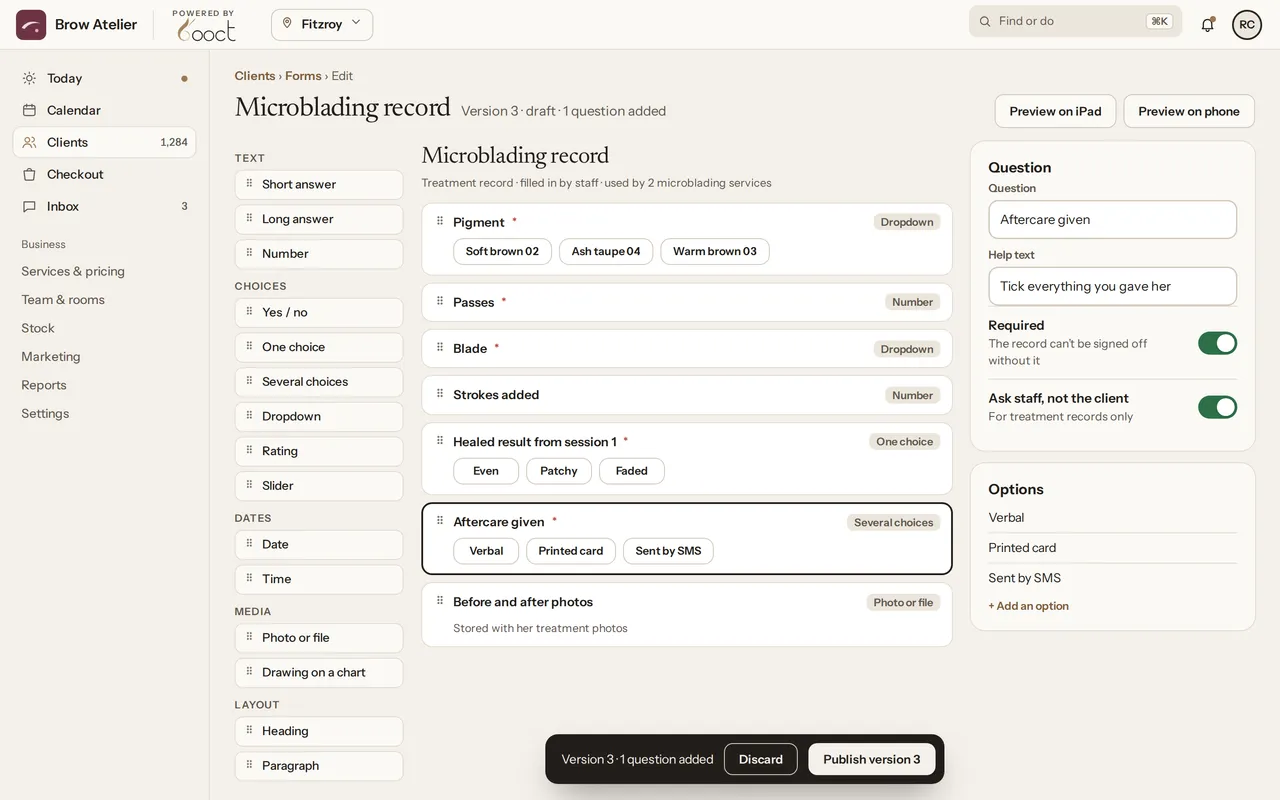
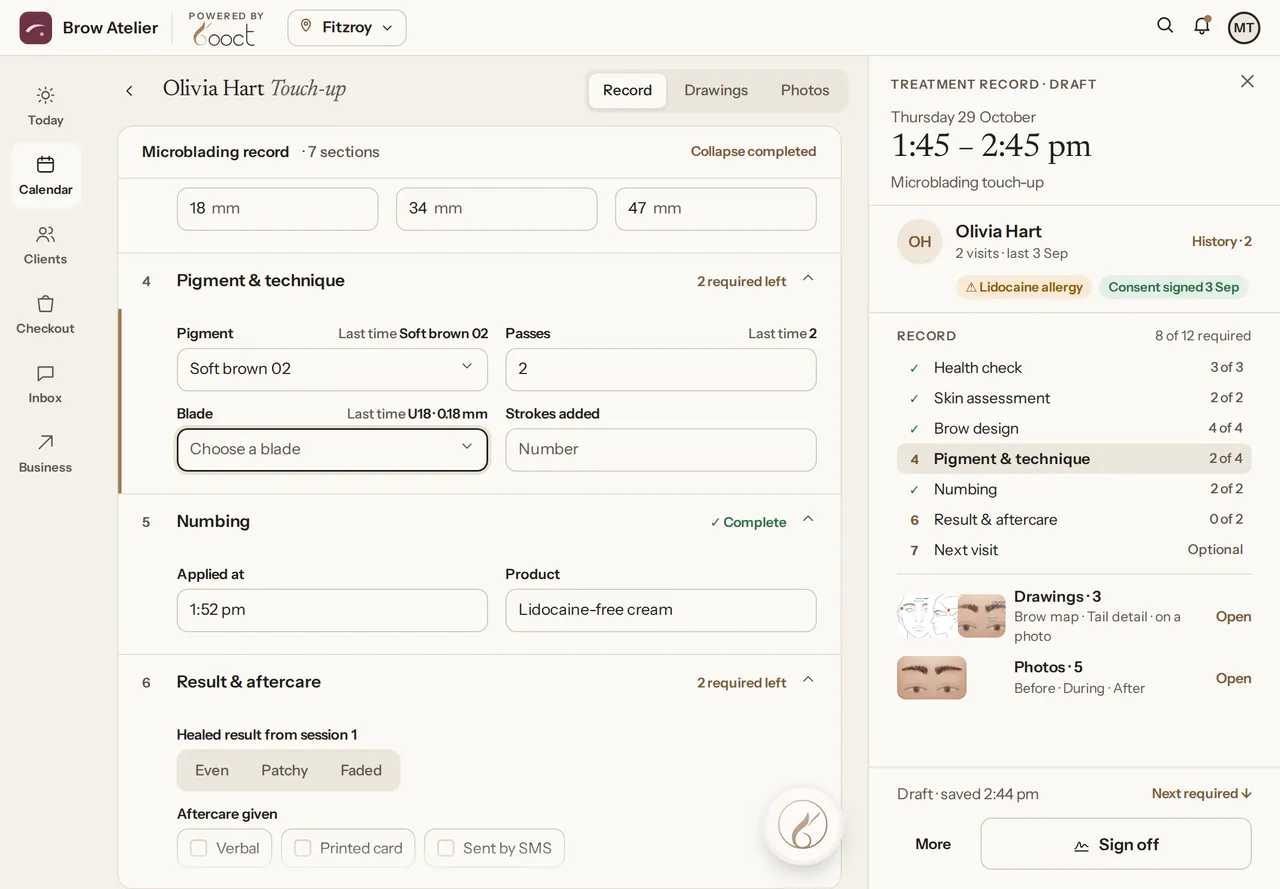
Pigment and blade for brows. Products and settings for facials. Skin reaction and aftercare for everything. Build the form each service needs, and your team fills it in at the chair.
  • Mix choices, numbers, notes, photos and drawings
The forms builder with a new question, “Aftercare given”, added to the Microblading record: verbal, printed card or sent by SMS, filled in by staff.
Olivia Hart’s microblading record being filled in at the chair on the iPad: pigment, blade, numbing, result and aftercare, with her drawings and photos beside it. U18 · 0.18 mm12

Treatment records

Draw right on the face.

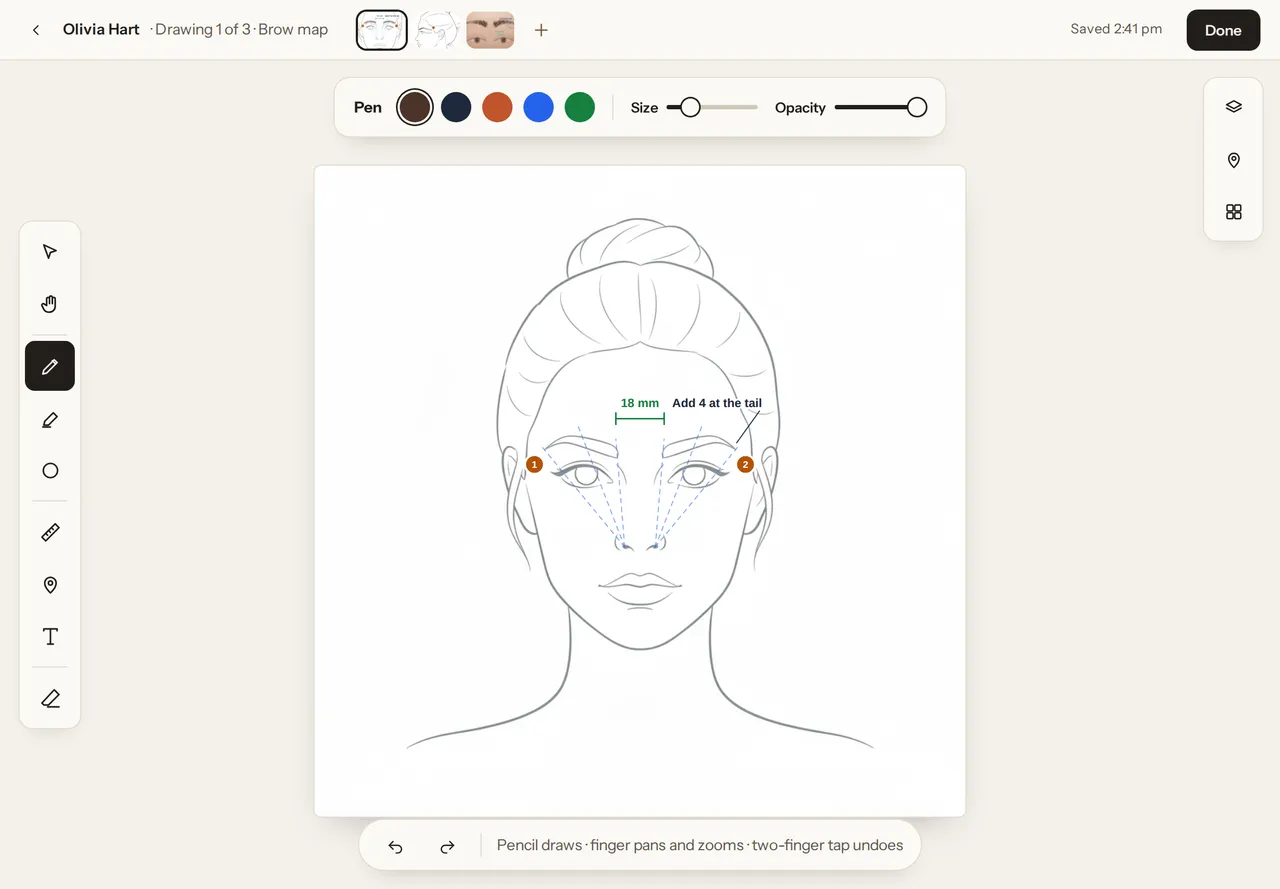
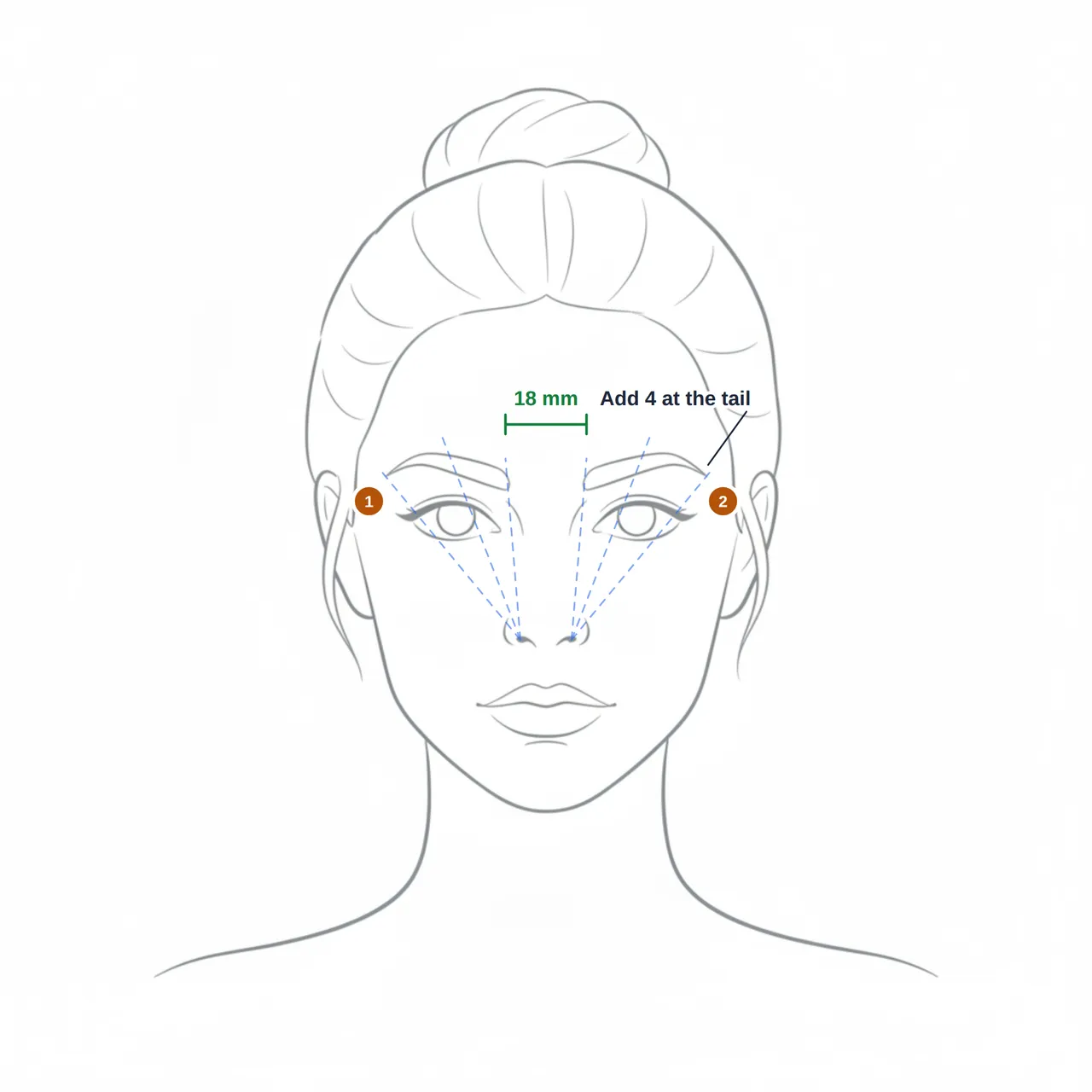
Map brows, mark injection points or chart the body with a finger or an Apple Pencil, on a face or body chart or straight onto a photo.
  • The Pencil draws. Your fingers pan and zoom.
The drawing editor on the iPad: a face chart with brow mapping guides, an 18 mm measurement and numbered points, ready for Apple Pencil.

Treatment photos

Before and after, side by side.

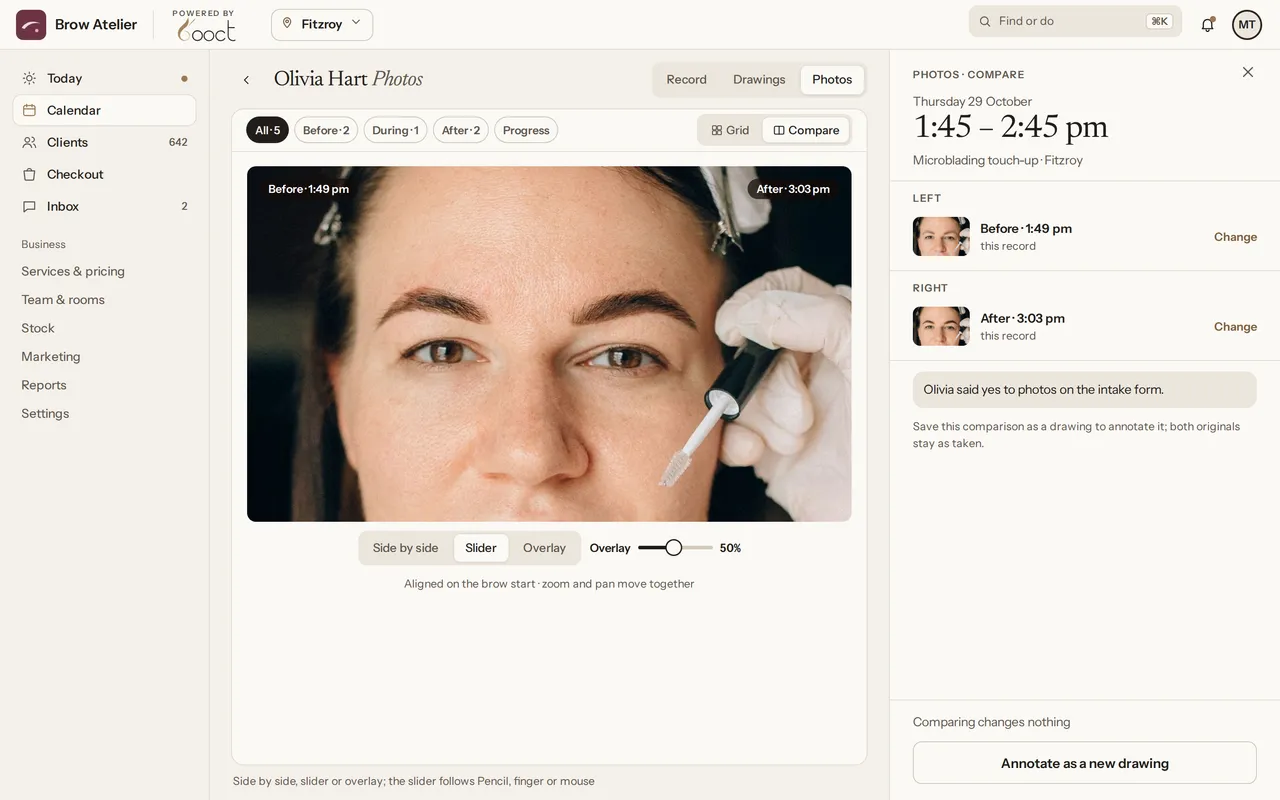
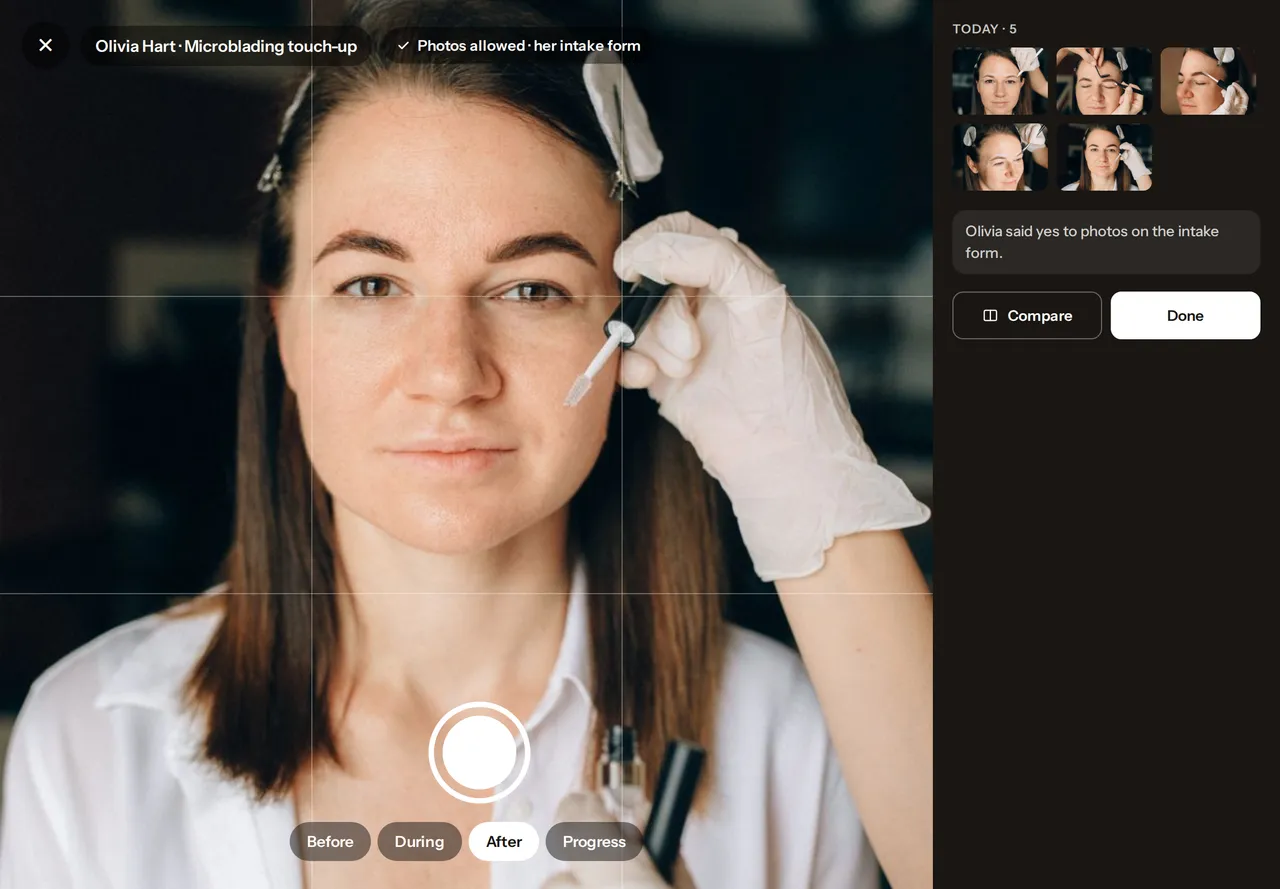
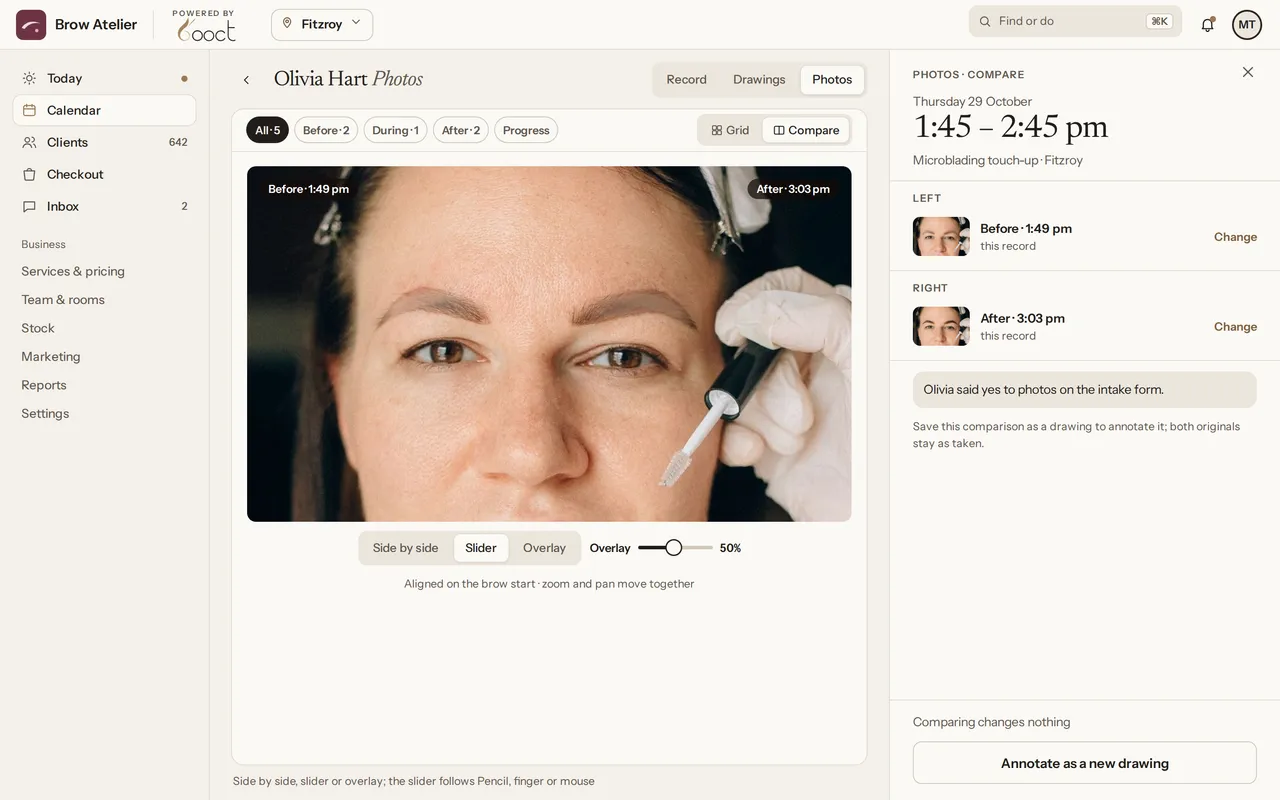
Take before, during and after photos on the iPad or a staff phone. They go straight onto the client’s record, and you can slide between any two.
  • Photo consent sits beside every photo
The iPad camera after the After photo is taken: five photos today on Olivia Hart’s record.
Comparing Olivia Hart’s before and after photos with a slider, her photo permission from the intake form shown beside them.

03Keeping the book full

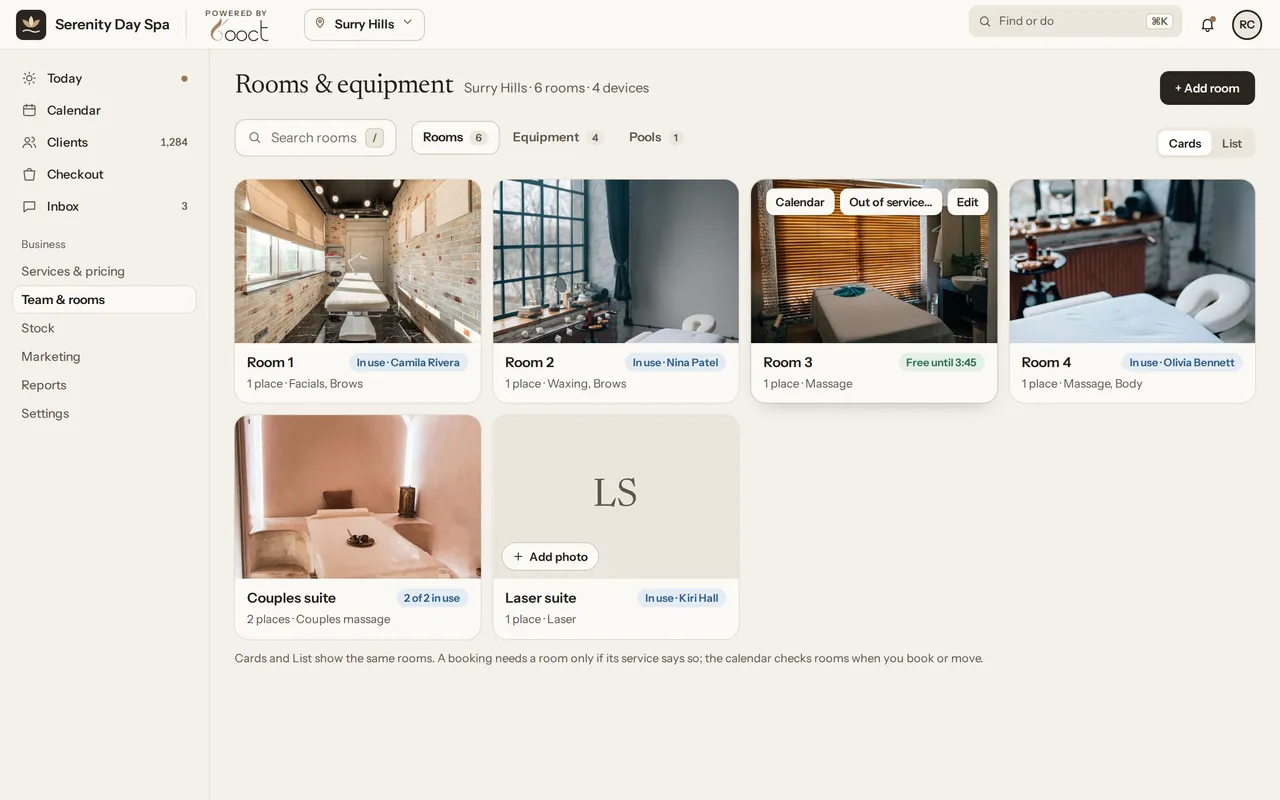
  • Rooms and equipment at Serenity Day Spa, Surry Hills: each room with its photo and what it’s used for, and whether it’s in use right now. The couples suite has both its places in use.

    Rooms & equipment

    Never double-book the couples suite.

    Rooms, suites and machines are part of each service, so every booking checks they’re free, even when you drag one to a new time.
    • The buffers you set are held
    • Works for one treatment room or twelve
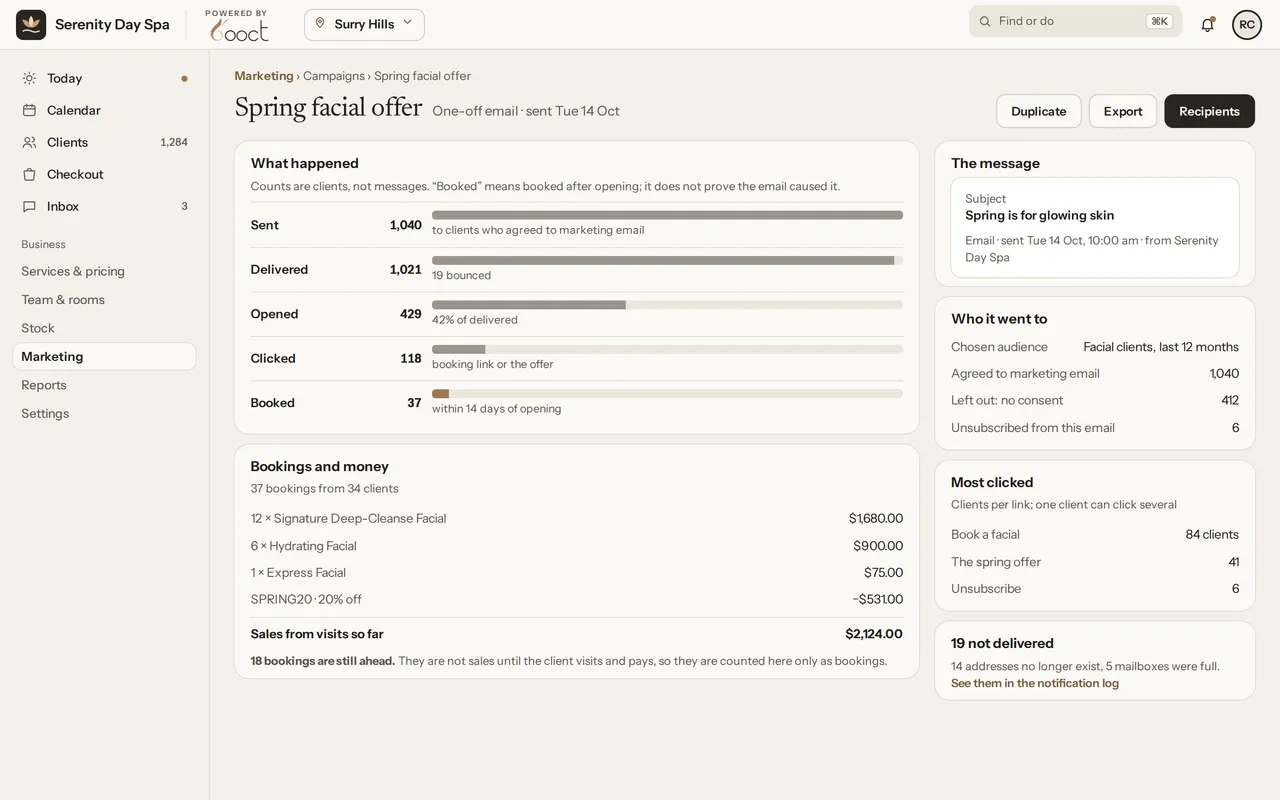
  • Your campaign
    An email campaign result: sent, opened, clicked and booked.
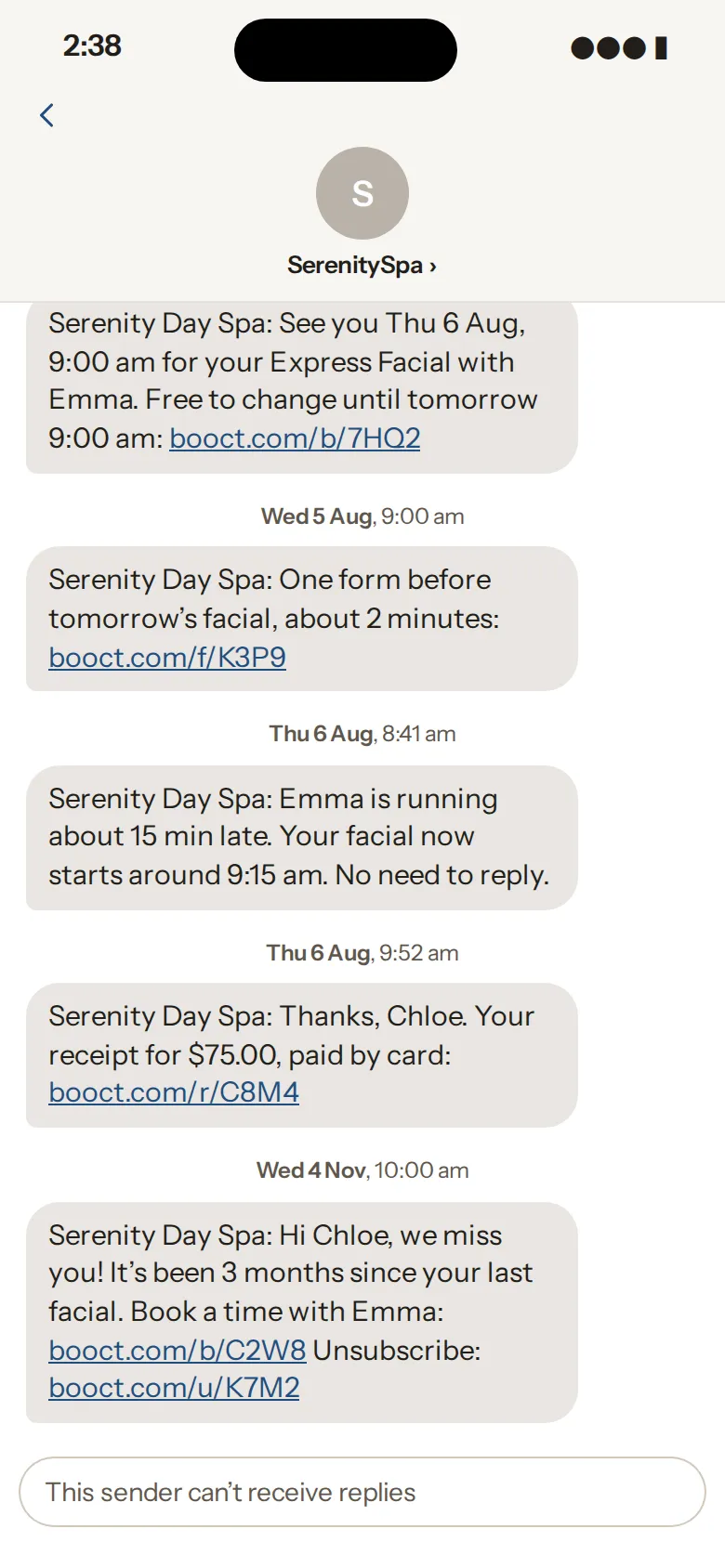
    A client’s messages from Serenity Day Spa, ending with an automatic “we miss you” SMS three months after her last facial, with a booking link and an unsubscribe link.
    Her phone

    SMS & email marketing

    Bring back clients who’ve drifted away.

    Send SMS and email campaigns to clients who opted in, and let automatic reminders keep the book full. After each visit, BOOCT asks for a Google review for you.
    • Opted-in clients only, with an unsubscribe on every message
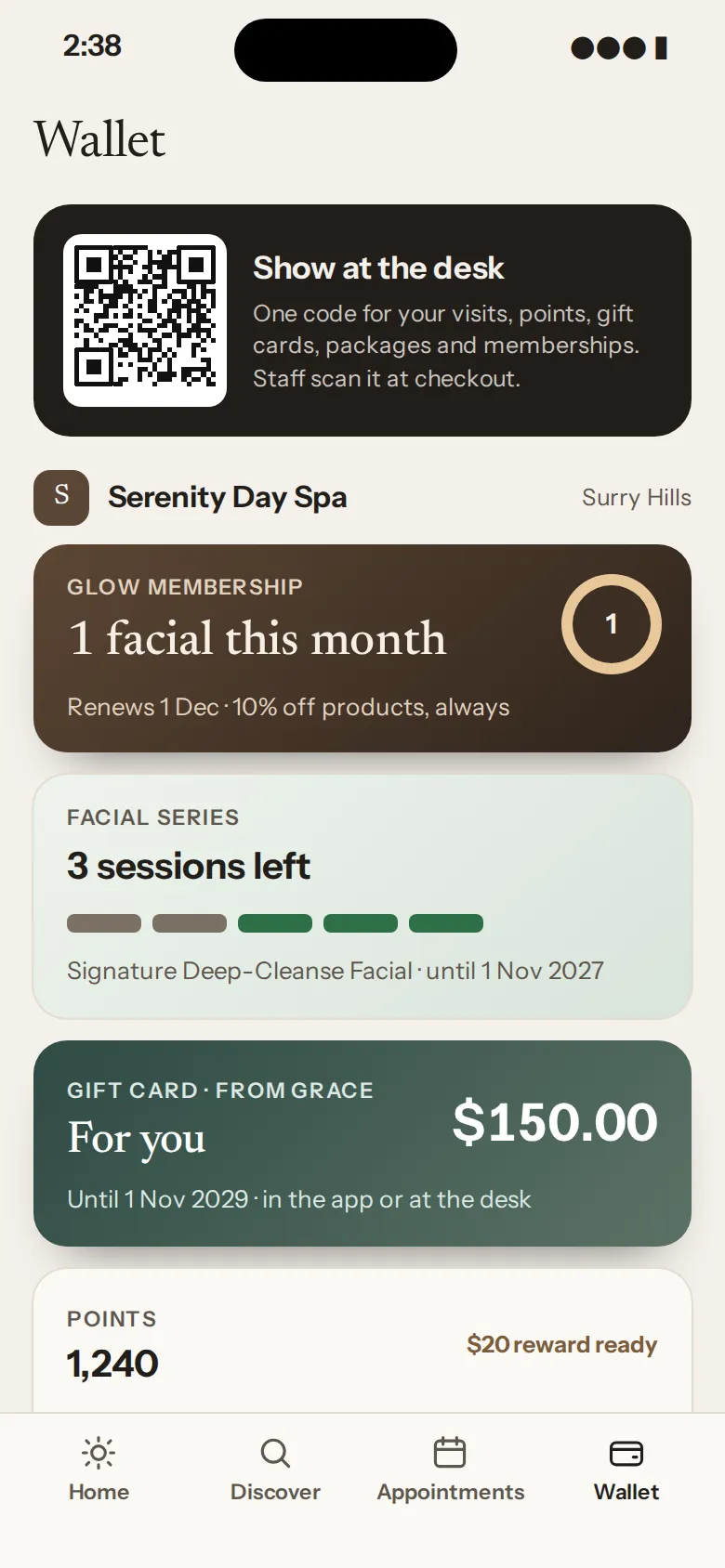
  • The client Wallet on a phone, holding memberships, packages and gift cards.

    Memberships, gift cards & loyalty

    Memberships and gift cards, right in their Wallet.

    Sell memberships, packages, gift cards and loyalty points at checkout. They sit in your client’s BOOCT Wallet, ready for next time.

    • Works from a link too. No app needed.

Everything above is in the one plan. Texts use SMS credit you top up. Nothing to pay today. No contract.

Join early access

Pricing

Pay per person. Get everything.

$30a month excl. GST

for you, then $20 a month for each extra person on your team.

  • Every feature
  • No lock-in
  • No charge per location
  • Billed monthly
3 team members

$70 a month

Included, not add-ons

All part of your BOOCT plan

  • BOOCT never takes commission on your bookings
  • Deposits on online bookings
  • Google review requests after every visit

Text messages use SMS credit you add; until then, reminders go by email. Extra storage is available if you need more.

Switching

Switch from Fresha, Timely or Mindbody, free.

When BOOCT opens, import your clients, services, team and products yourself, from Square or any other system too. Your bookings come across when we do the move for you, free. Treatment records, forms and photos stay in your old system for now. Move across yourself in a few steps, or hand it to us and we’ll do it for free.

  1. 01
    Import it yourself

    Upload the export from your current system and BOOCT walks you through matching up your clients, services, team and products. Or send it to us and we’ll do it, free, bookings included.

  2. 02
    You check everything first

    See your clients, services, team and bookings in BOOCT and tell us what to fix, before anything is final.

  3. 03
    Originals untouched

    Your old system and your export stay exactly as they were. Leave any time and take your data.

Team & pay

From the roster to the pay run.

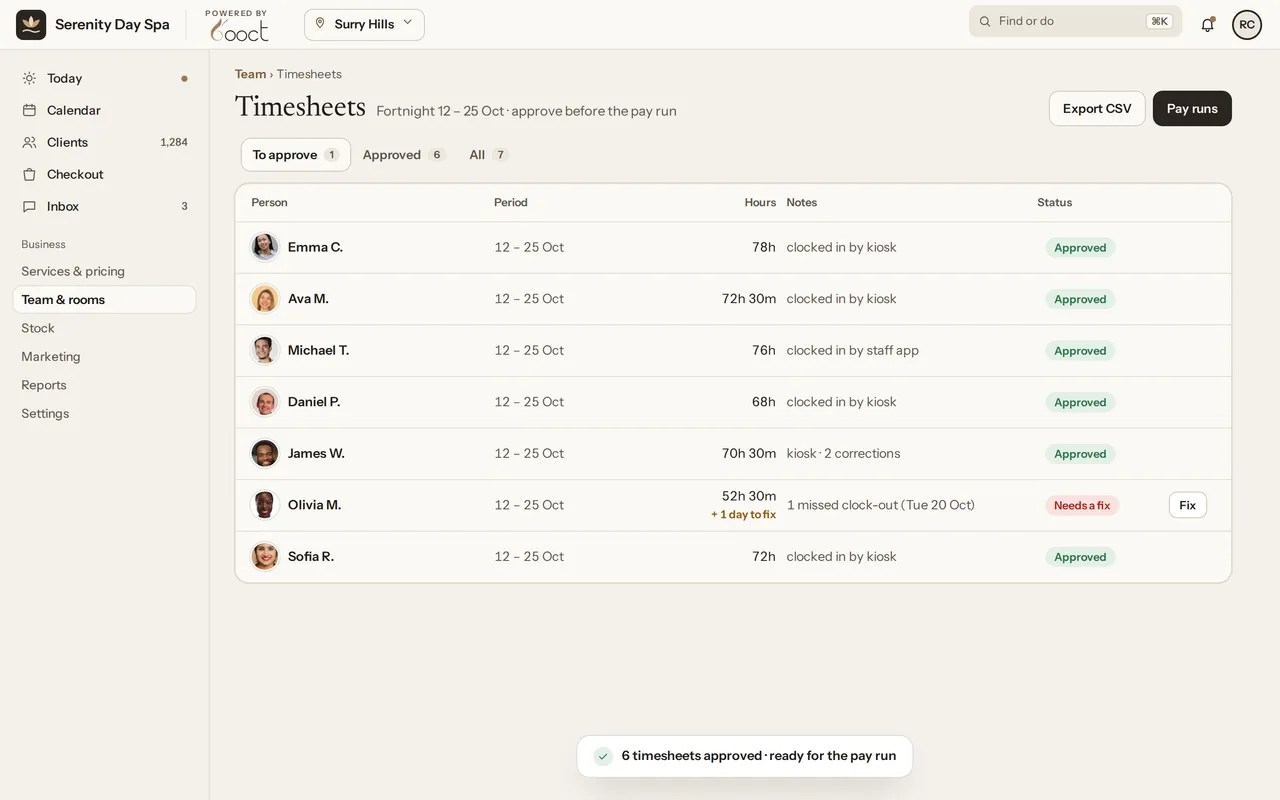
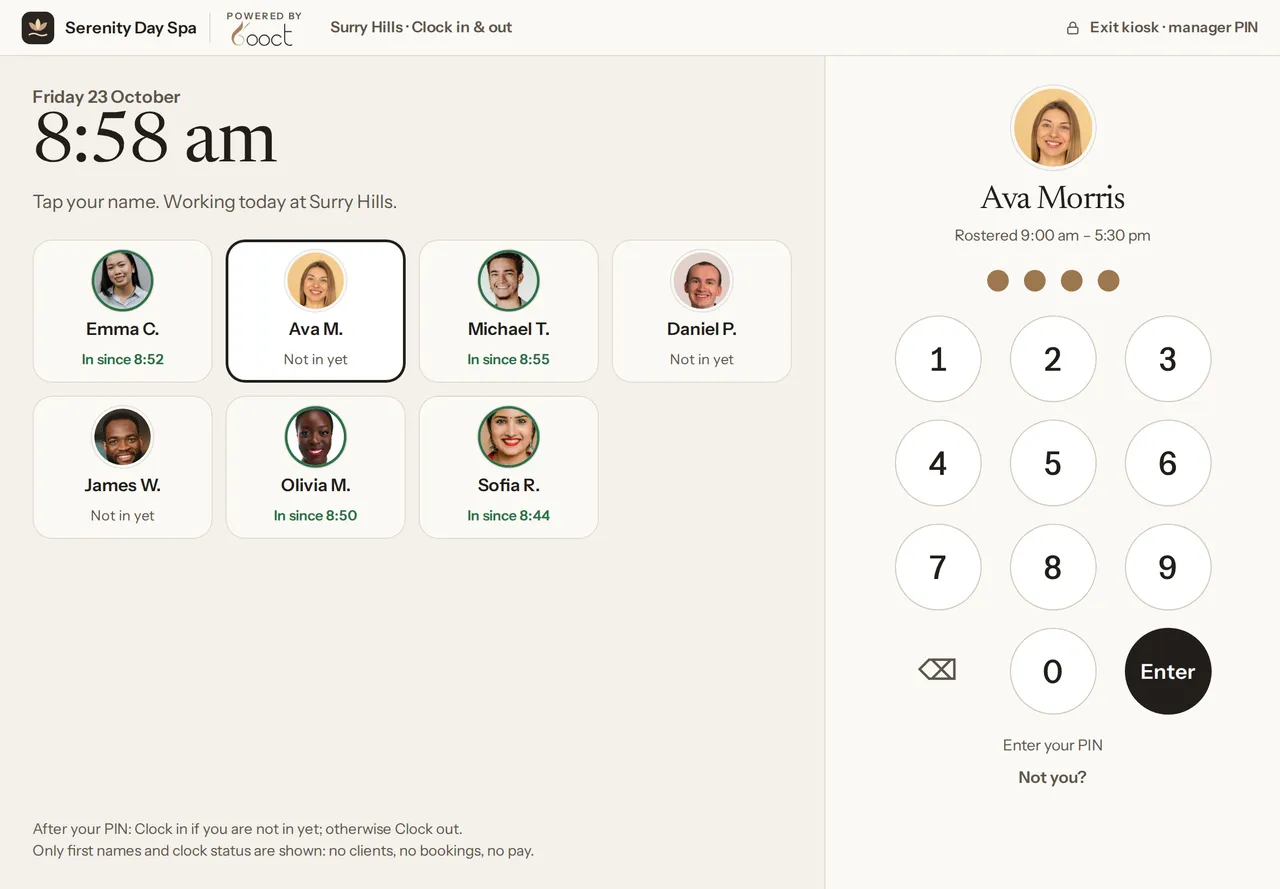
Plan the week’s roster, then your team clocks in on the salon iPad with their name and PIN. Hours land on their timesheets, you approve the ones that are ready, and the pay run adds up what everyone’s earned.

  1. Roster the week

    Shifts and leave for the whole team, in one weekly view. Changes stay a draft until you publish them.

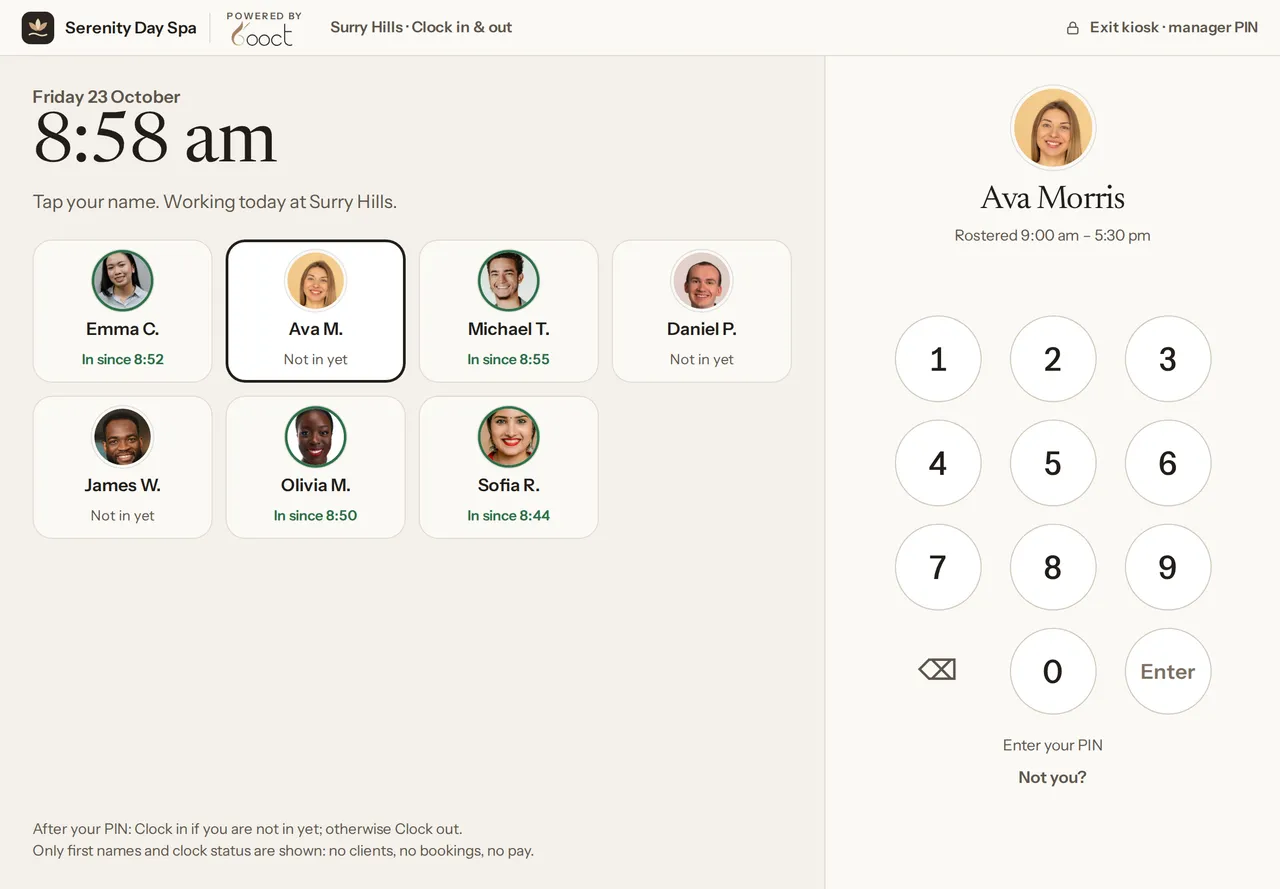
  2. Clock in at the desk

    Tap your name, enter your PIN, press Enter. Or clock in from the staff app.

  3. Approve timesheets

    Hours come straight from the clock. A missed clock-out is flagged for someone to fix, never filled in for you.

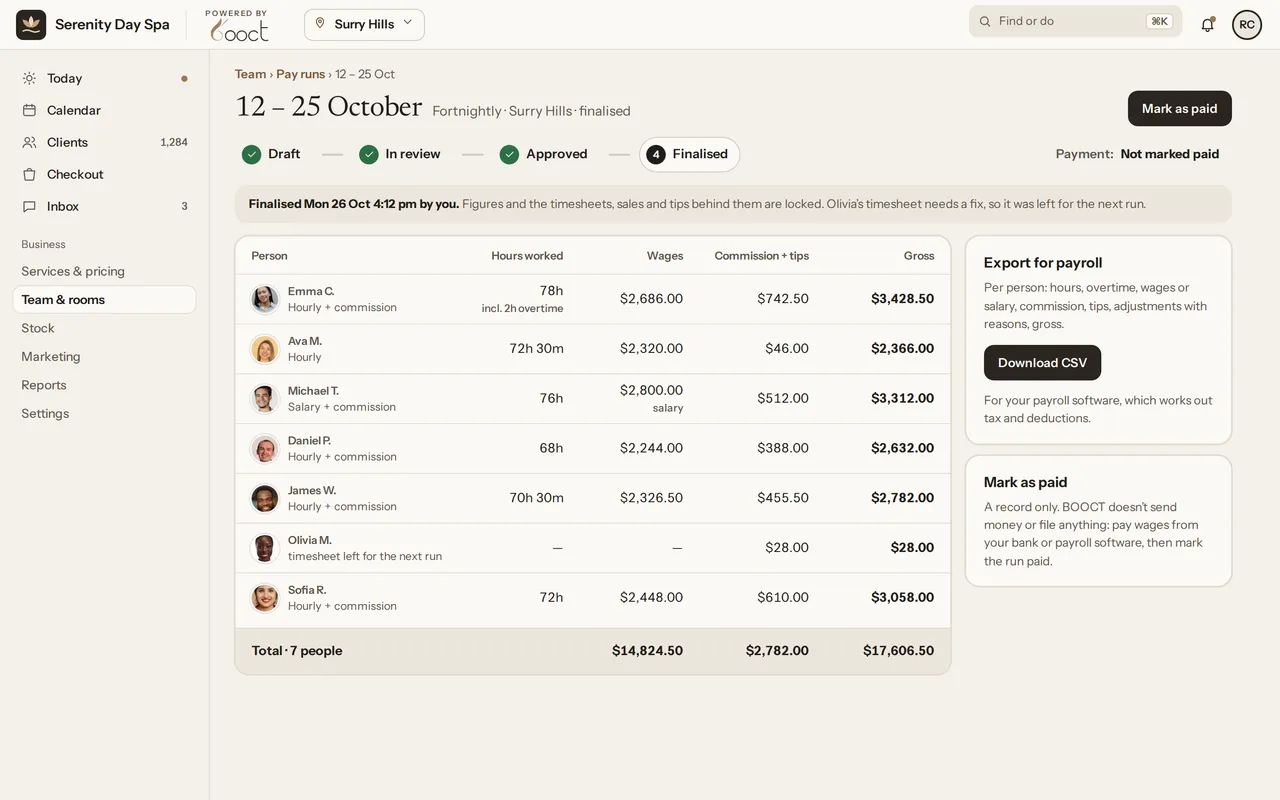
  4. Run pay

    Wages, overtime, commission and tips for each person. Review, approve, then export a CSV for your payroll software.
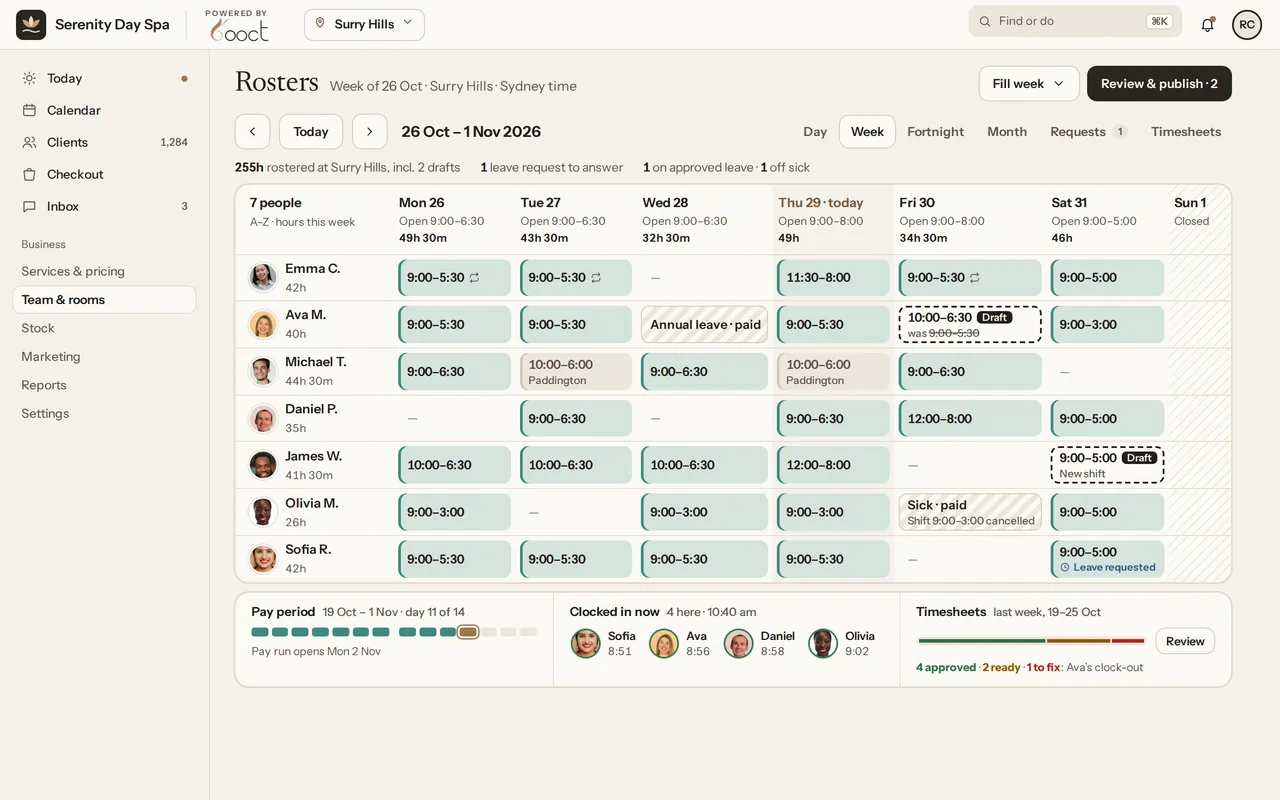
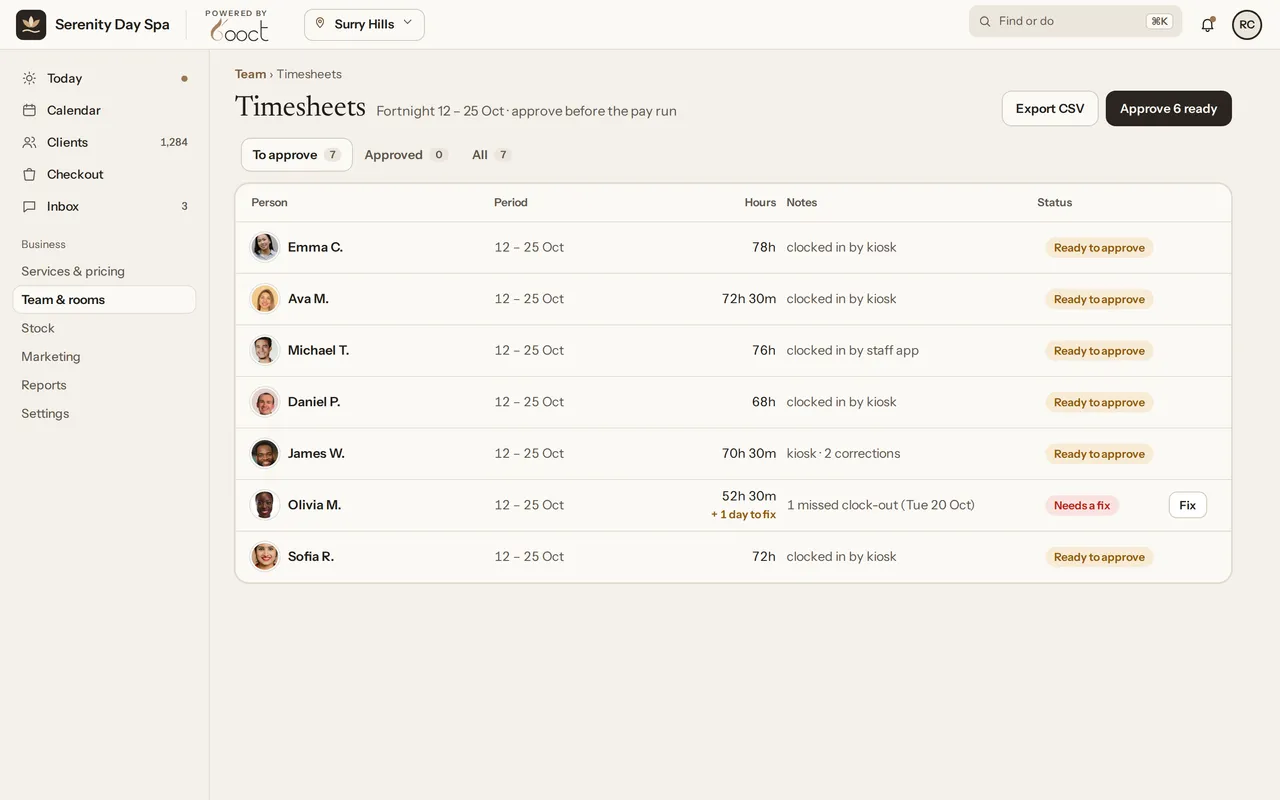
  • Optional photo and location checks at clock-in
  • BOOCT doesn’t pay wages or lodge tax. Your payroll software does that, from the CSV.
A finalised pay run for 12 to 25 October: hours, wages, commission and tips for each person, with a CSV export for your payroll software.
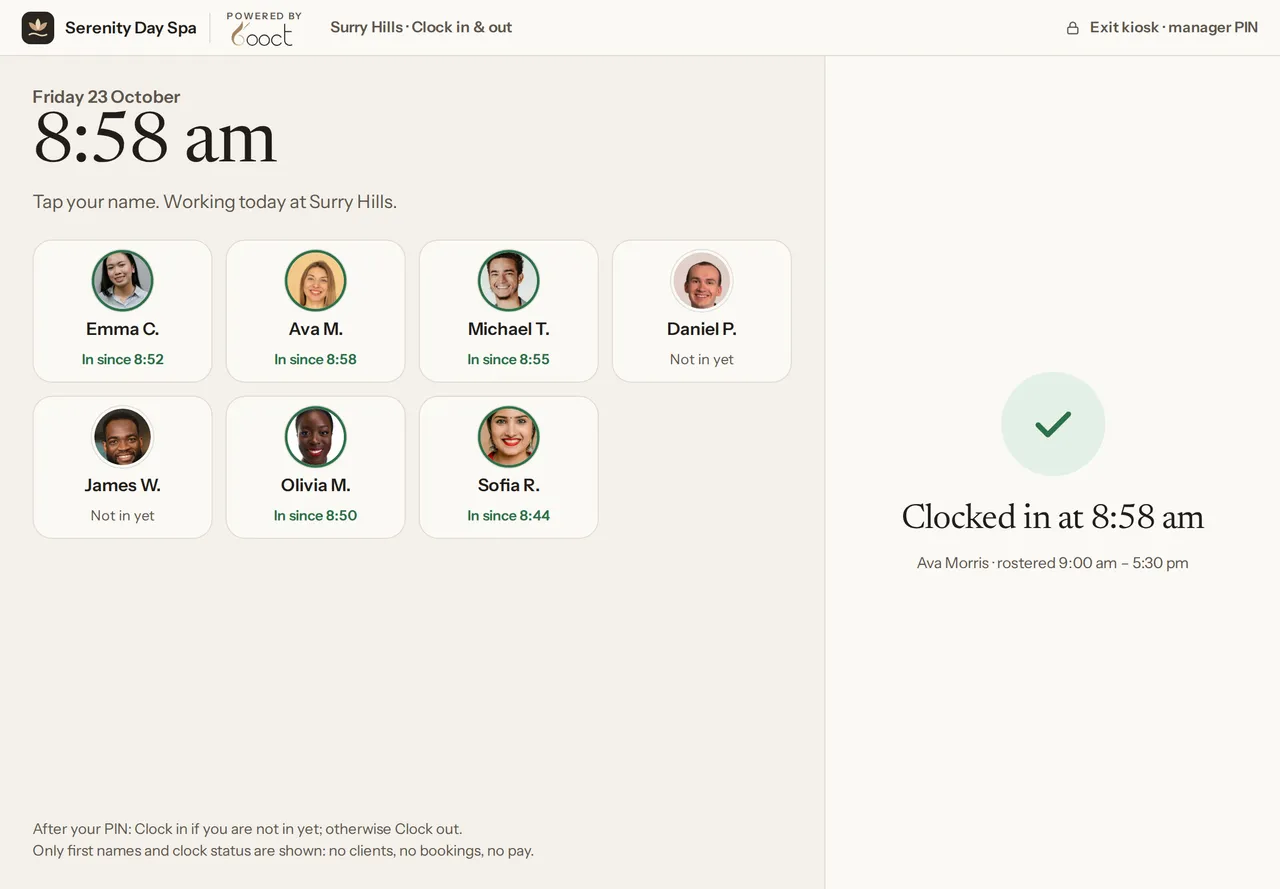
The clock-in kiosk after Enter: “Clocked in at 8:58 am” for Ava Morris, and her name now reads In since 8:58.

The full suite

And everything else a salon runs on.

Stock, check-in, reports and loyalty, in the same app.
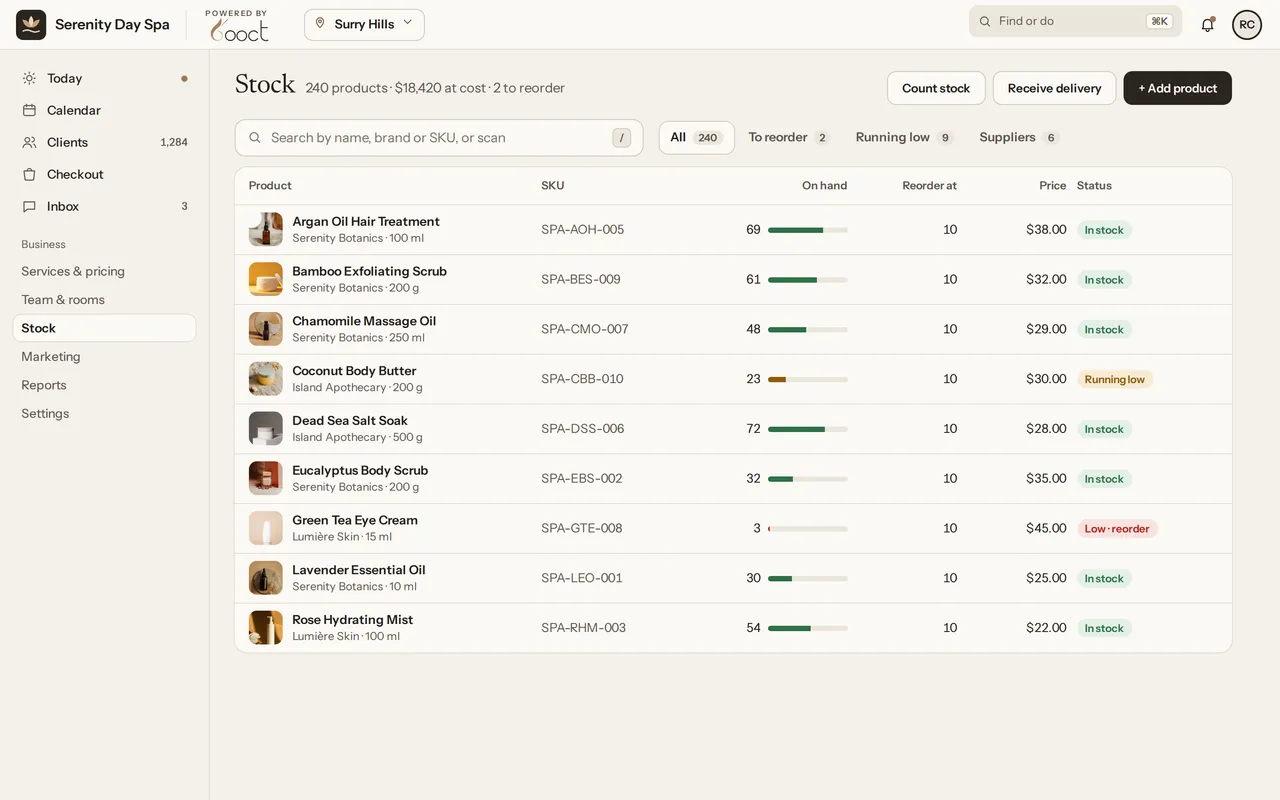
  • Stock: every product with on-hand levels, reorder points and suppliers.
    Stock & inventory

    Stock levels, reorder points, suppliers, purchase orders and stocktakes.
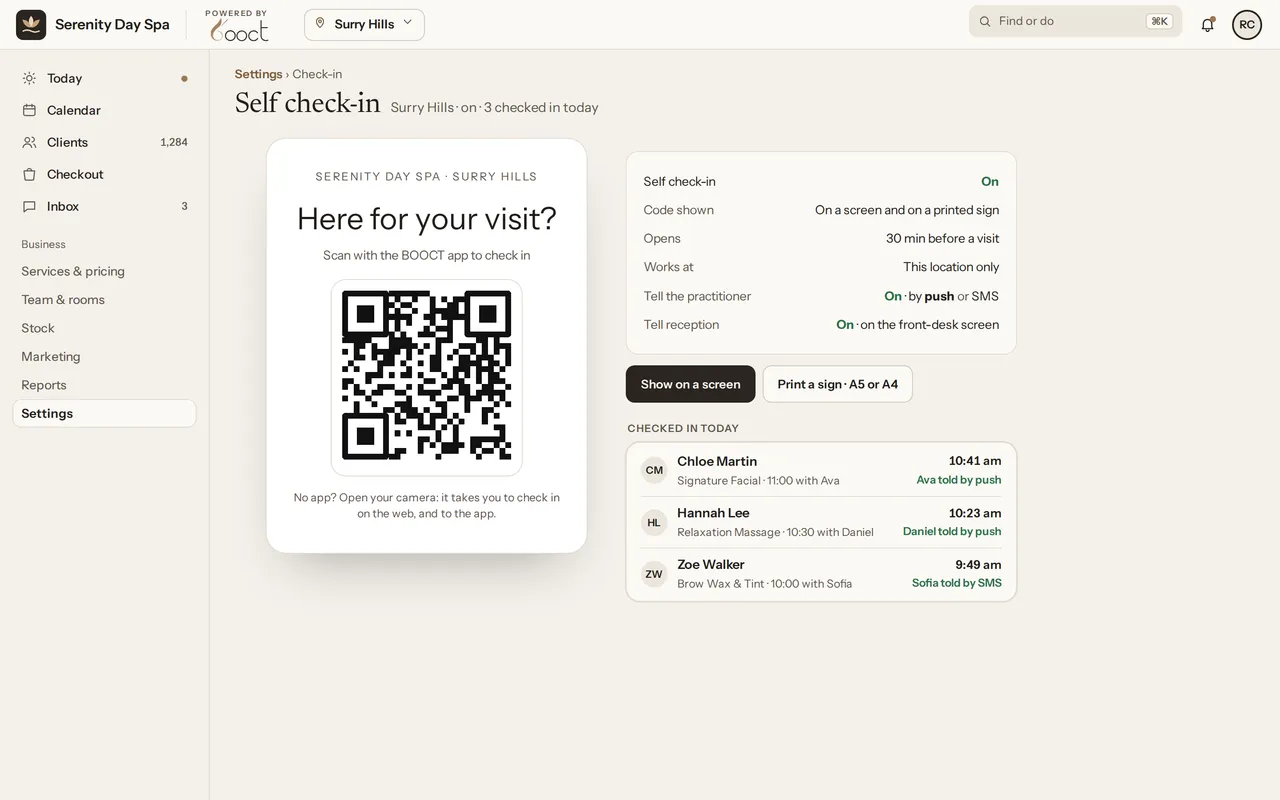
  • Self check-in: the salon’s QR code, its settings, and the clients who checked in today with their practitioner told.
    Self check-in

    Clients check themselves in with a QR code, printed or on a screen.
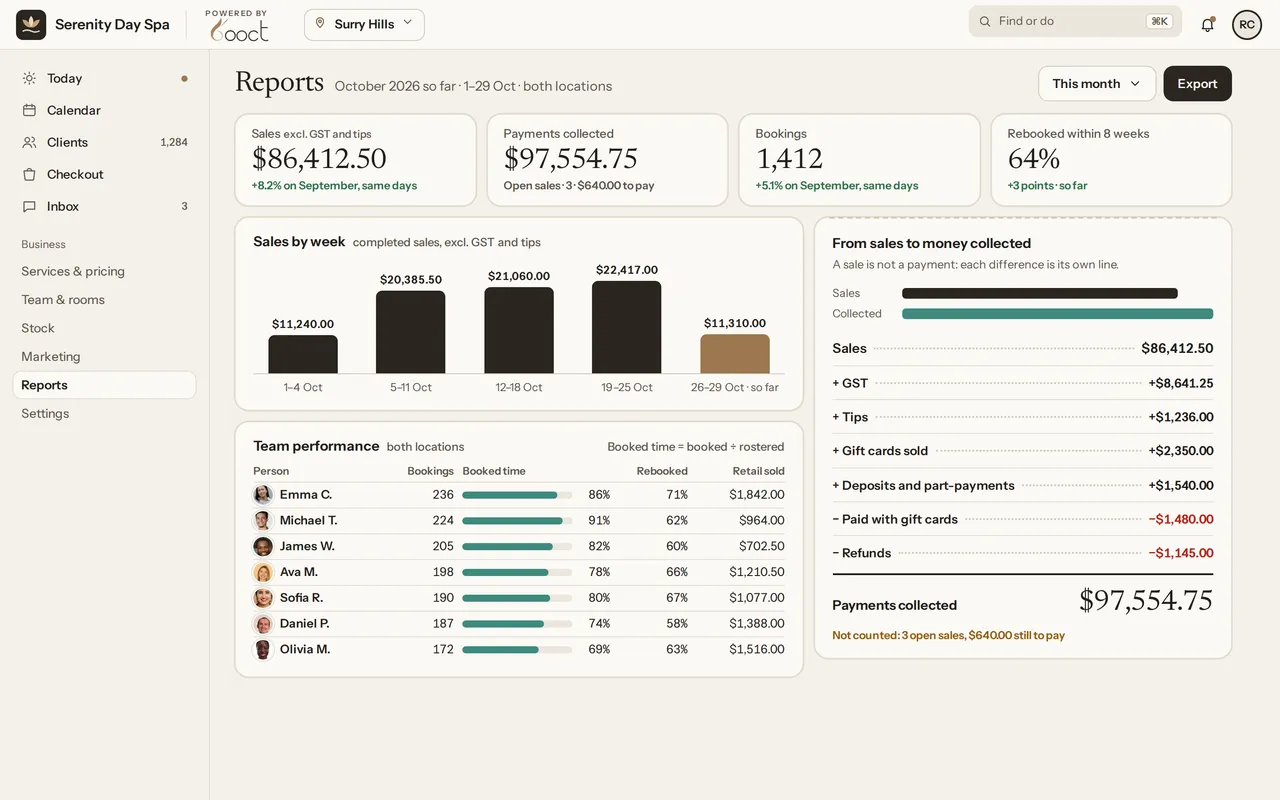
  • Reports for October: sales, payments collected, bookings and rebooking, sales by week, team performance, and the steps from sales to money collected.
    Reports

    Sales and payments by period, cancellations, no-shows and staff costs.
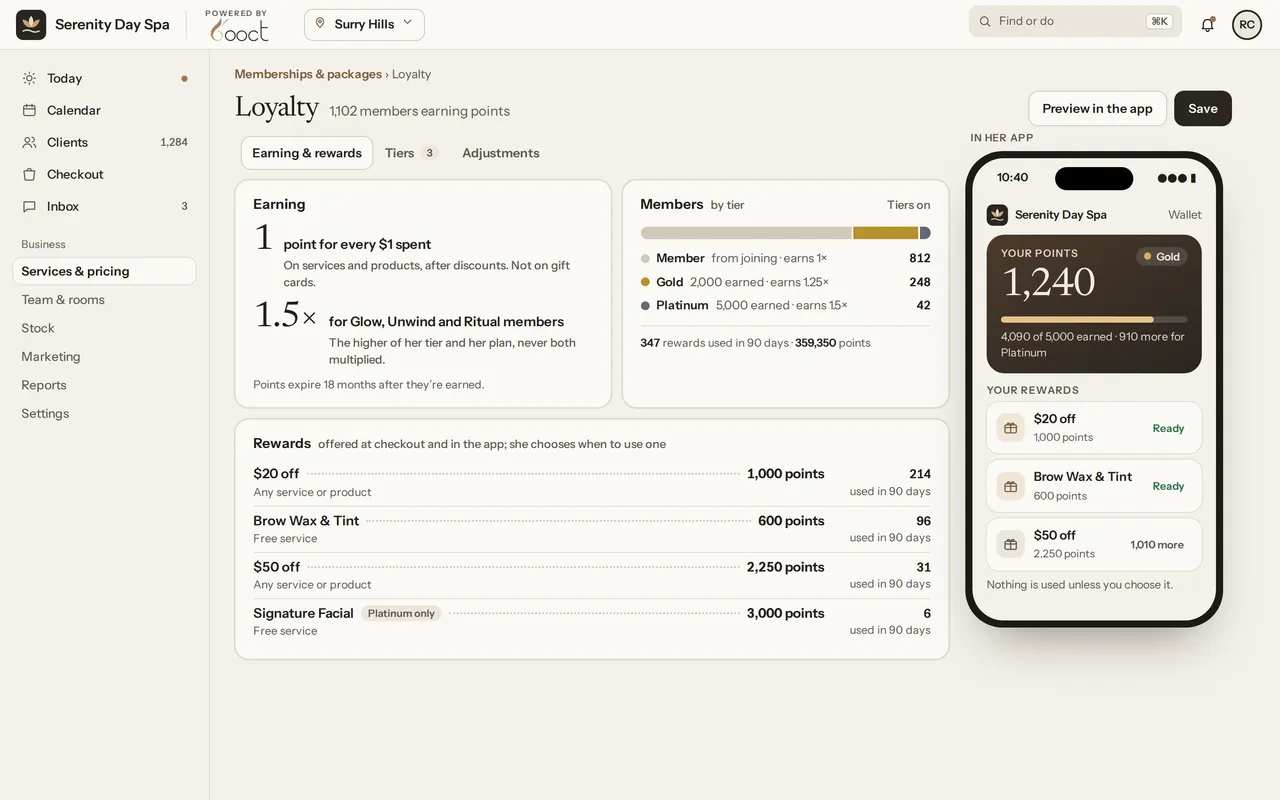
  • Loyalty: one point per dollar, members by tier, the rewards clients can use, and her points and rewards in the BOOCT app.
    Loyalty

    Points on services and products, and rewards your clients choose.

See every feature →

Who it’s for

Your logo, on your booking page.

Add your logo and it appears on your booking page, at the top of your team’s calendar on the web, and on client emails and receipts. It works the same for one chair as it does for several locations. Each business below is shown in its own logo and palette.

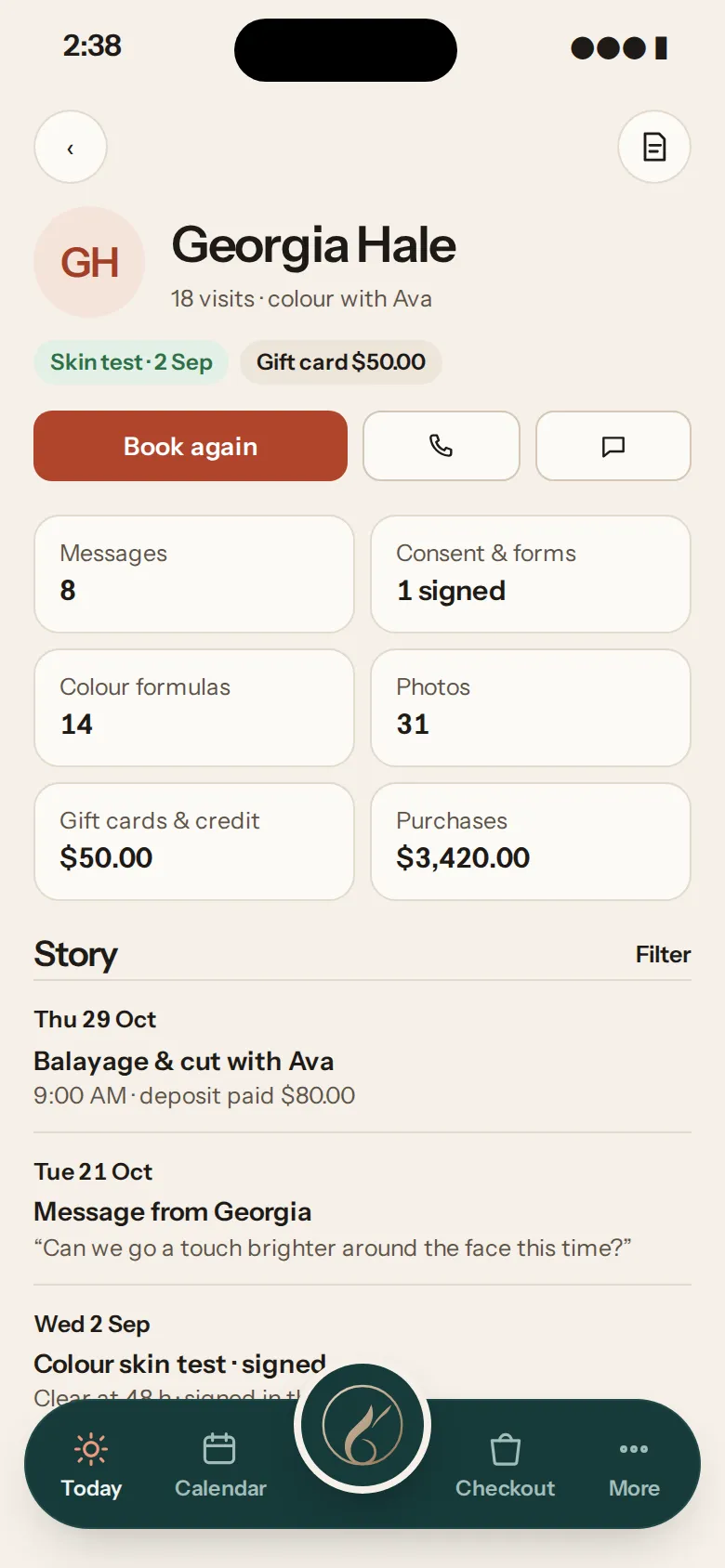
Juniper & Co’s client record for Georgia Hale on a phone: a skin test on file, her colour formula records and Book again.
Juniper & Co, in its own logo and palette

Hair salons

Every colour, remembered for next time.

  • Colour notes on the client’s record, from a ready-made hair colour form
  • Skin tests before colour, checked when the booking is made
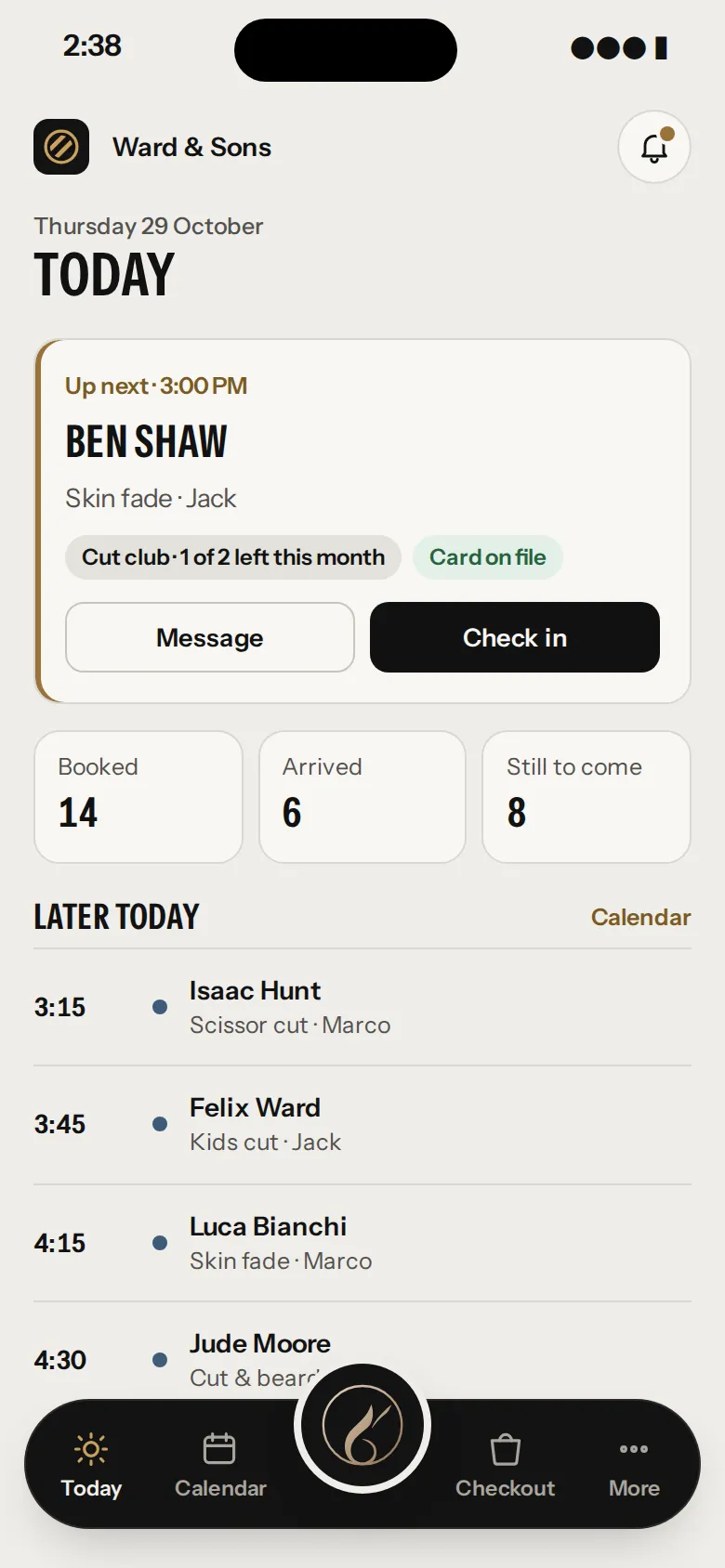
Ward & Sons’ Today screen on a phone: Ben Shaw up next for a skin fade, with one cut club visit left this month.
Ward & Sons, in its own logo and palette

Barbers

Walk-ins in, cut, paid, next.

  • Add a walk-in from Today, starting now, no client details needed
  • Memberships such as a monthly cut club, sold at checkout
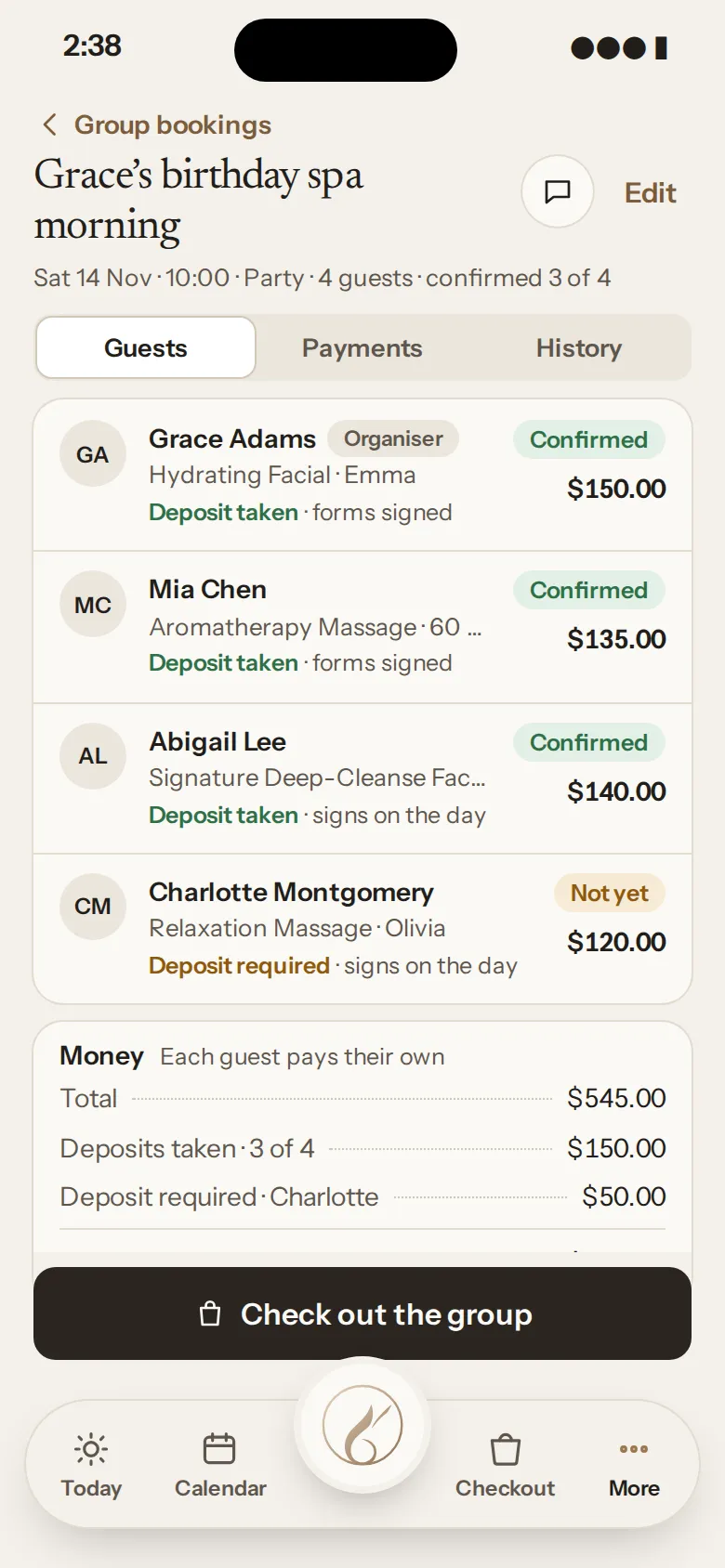
Serenity Day Spa’s group booking for a birthday spa morning: four guests, each with their own treatment and therapist.
Serenity Day Spa, in its own logo and palette

Day spas

The birthday spa morning, booked as one.

  • Couples and group bookings, each guest with their own treatment and therapist
  • Rooms, the couples suite and equipment checked on every booking
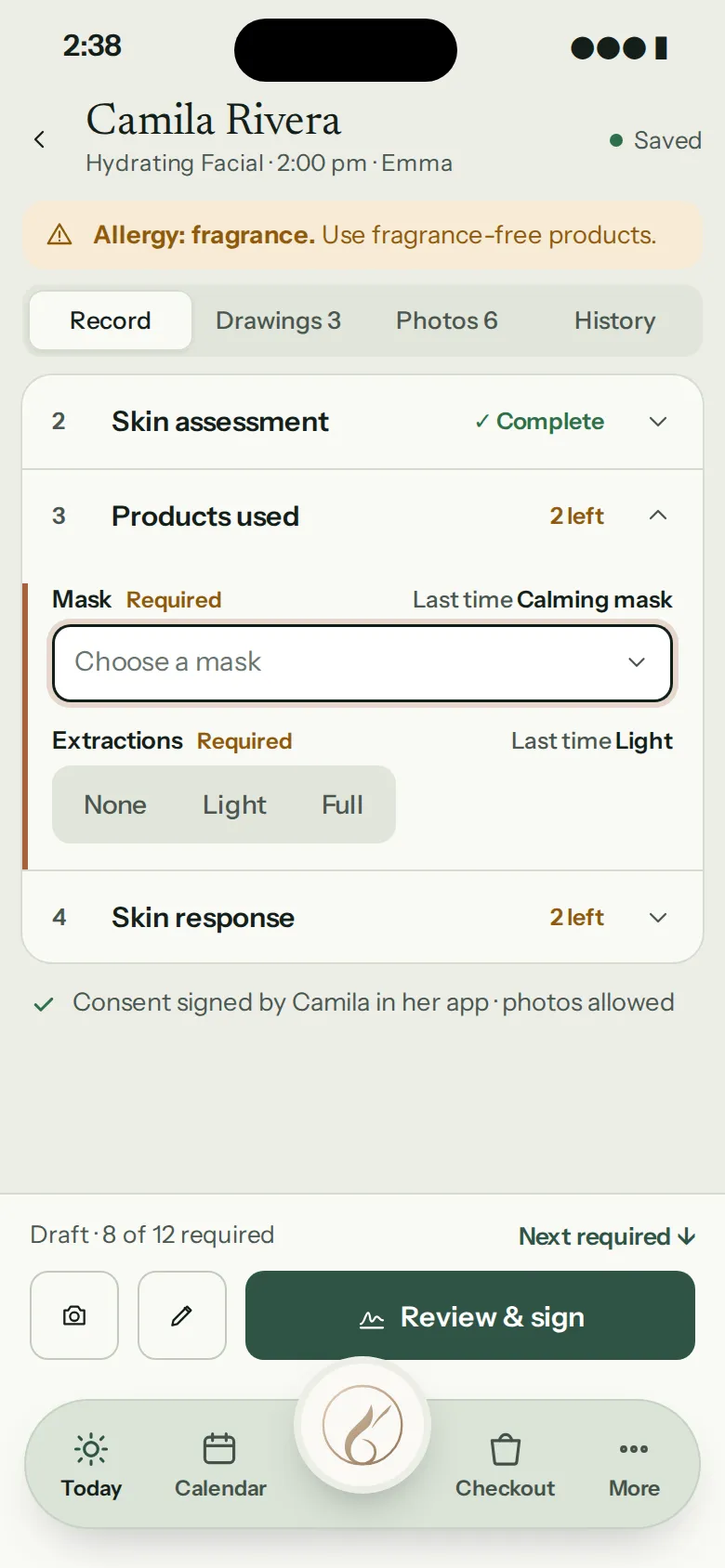
Still Point’s treatment record on a phone: skin assessment, products used, a fragrance allergy and consent signed in the client’s app.
Still Point, in its own logo and palette

Skin & aesthetics clinics

Consent, charts and photos, on one record.

  • Consent forms signed on the client’s phone before they arrive
  • Treatment records with face and body charts to draw on
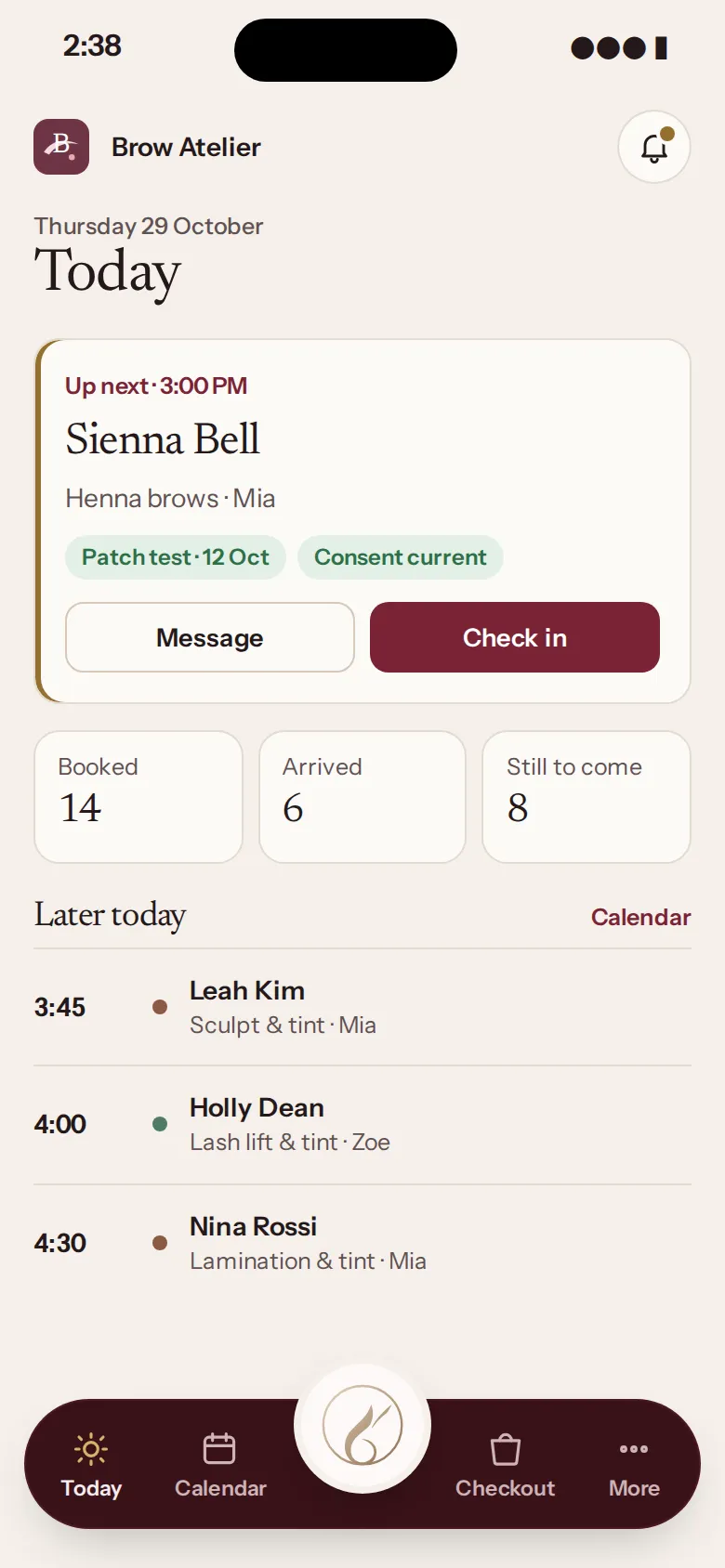
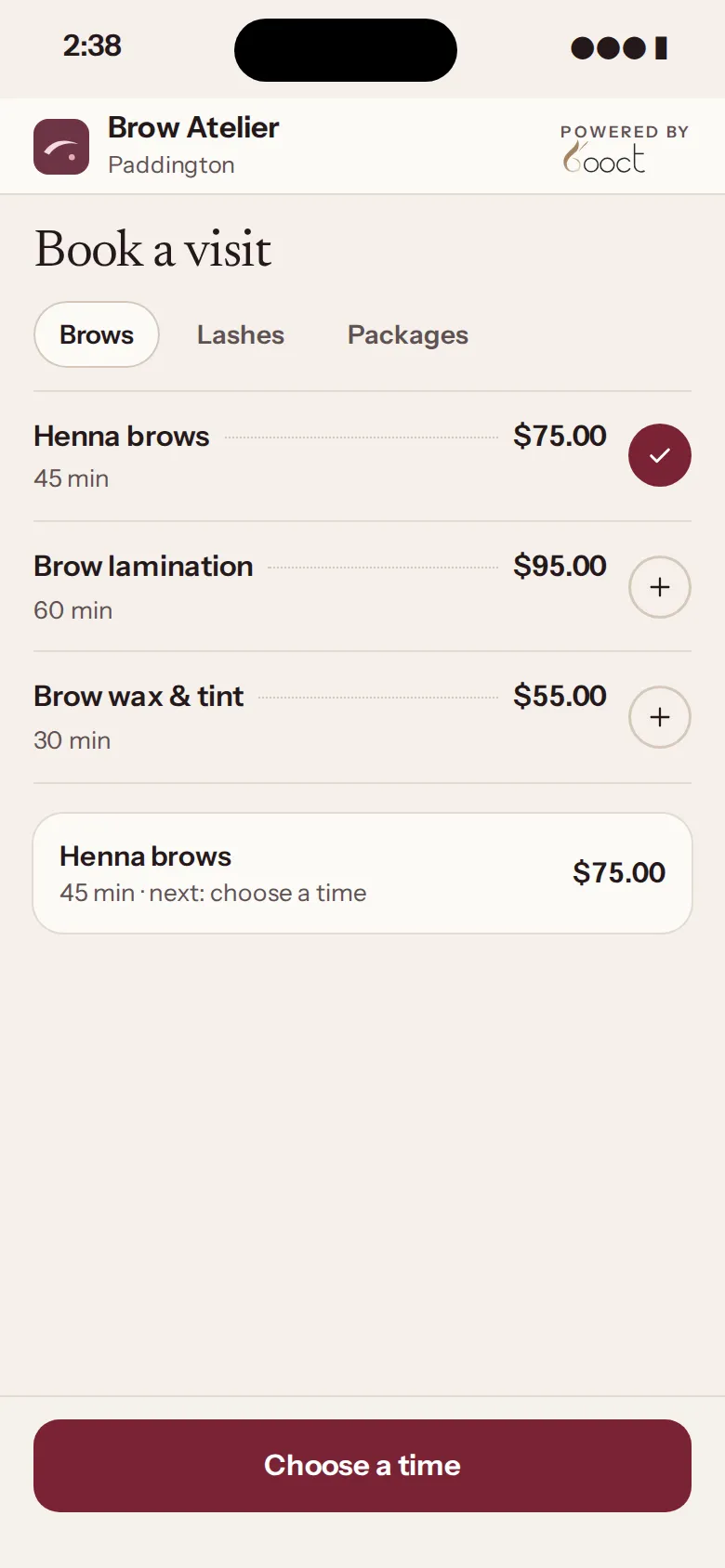
Brow Atelier’s Today screen on a phone: Sienna Bell up next for henna brows, with her patch test and consent on file.
Brow Atelier, in its own logo and palette

Brows & lashes

No tint without a patch test.

  • Make a patch test required, and a tint or lift can’t be booked until it’s on file
  • Map brows by drawing on a face chart, kept on the record
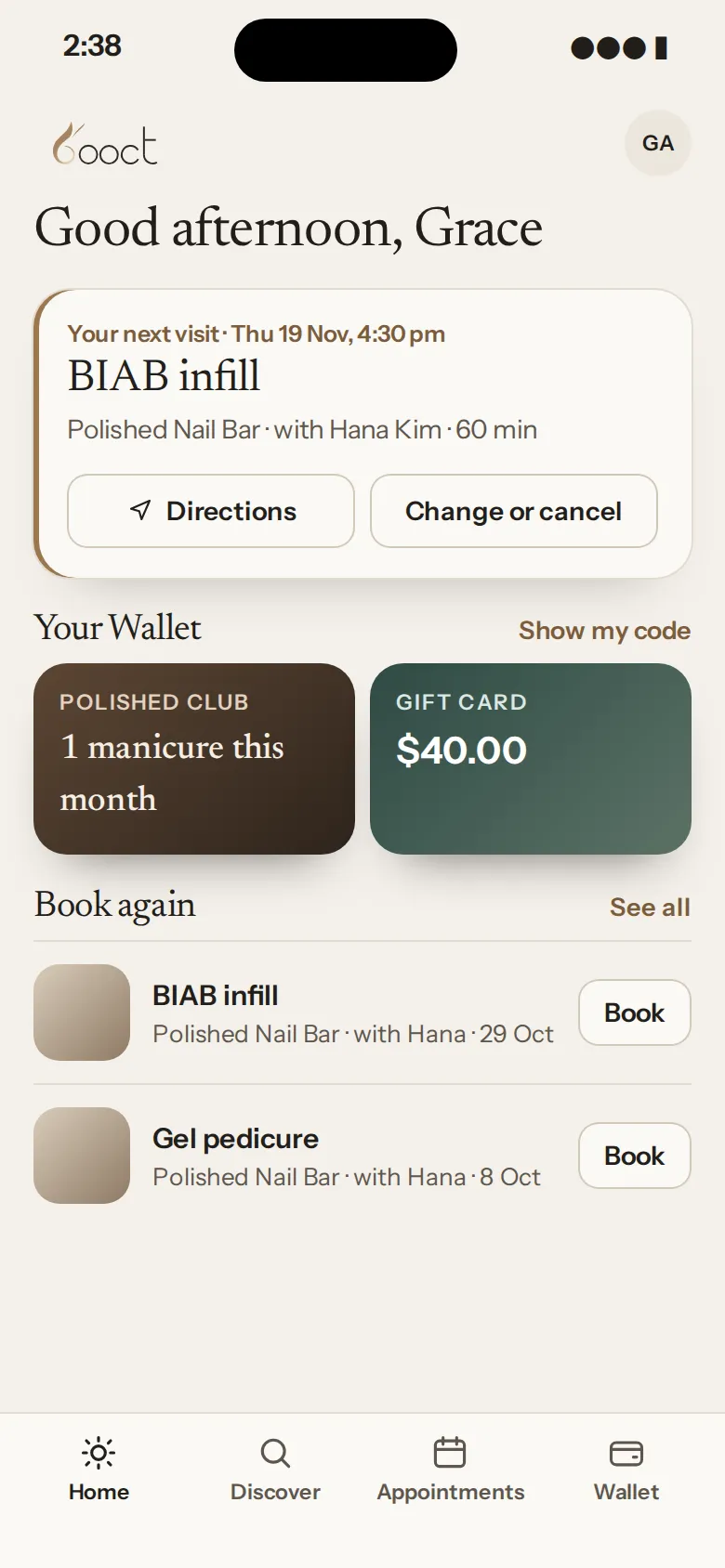
The BOOCT client app for a nail bar: the next BIAB infill, the Wallet, and Book again beside past visits.
Polished Nail Bar, in its own logo and palette

Nails

Their usual, booked again from their phone.

  • Clients book their usual again from the BOOCT app, in a few taps
  • Deposits on online bookings, so a no-show doesn’t cost you the chair

Massage, waxing, tanning and more run on BOOCT too, with every feature.

Your brand

The same booking page, dressed in each salon’s brand.

Upload your logo and pick one of eight palettes, each with a light and dark version. Your booking page and calendar wear them, and your logo goes on client emails and receipts.

Eight palettes, each tuned so every screen stays easy to read.
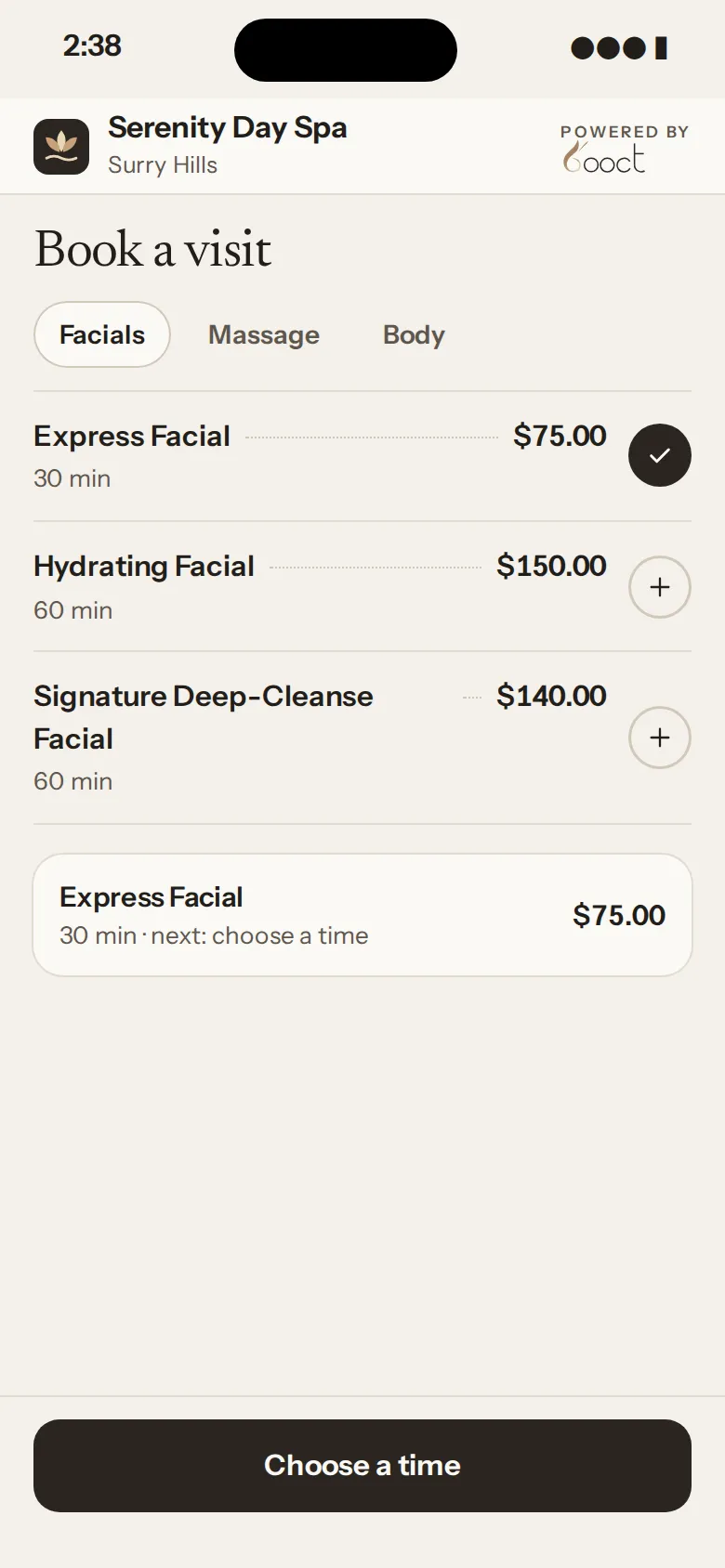
  • Serenity Day Spa’s booking page in its own logo and Sunkissed palette: facials with prices and times.

    Serenity Day SpaSunkissed palette

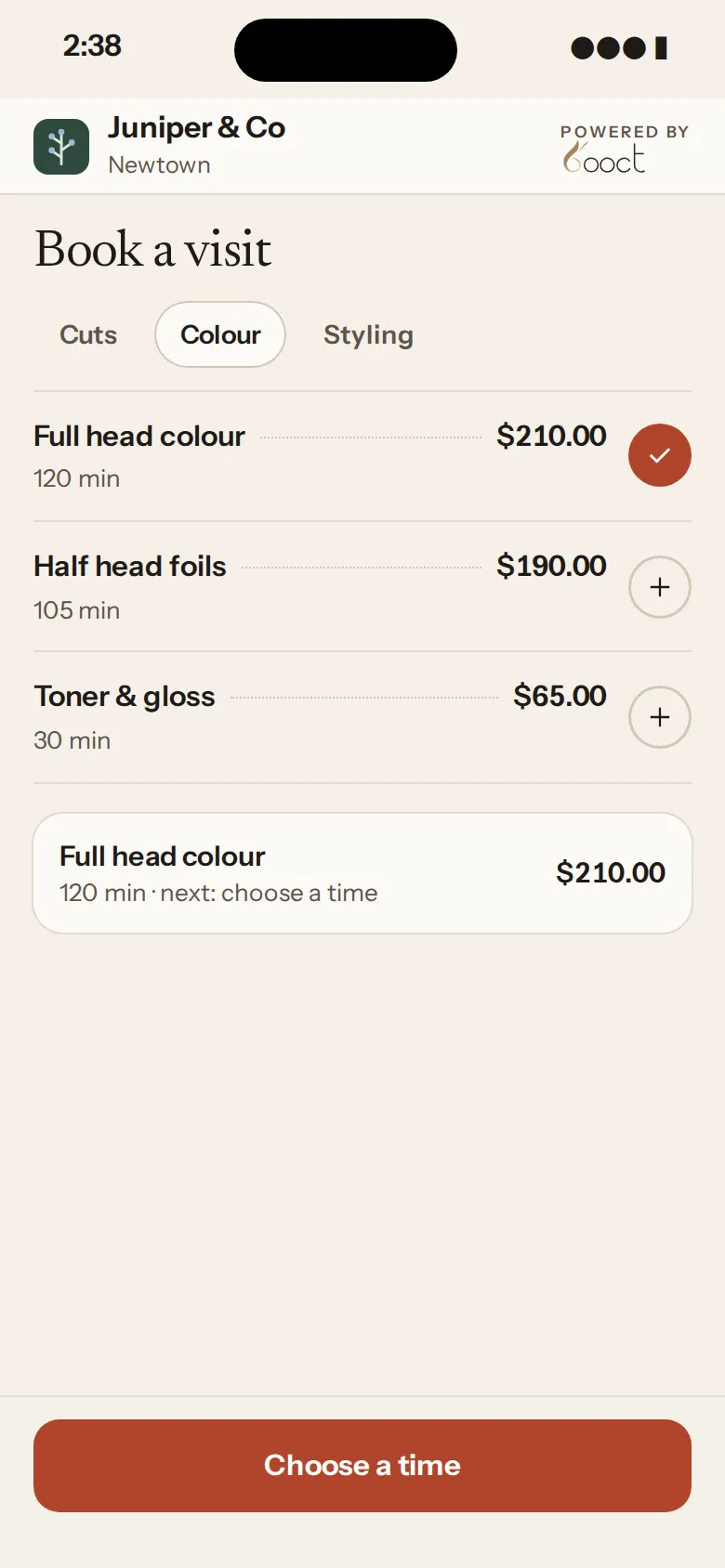
  • Juniper & Co’s booking page in its own logo and Henna palette: colour services with prices and times.

    Juniper & CoHenna palette

  • Brow Atelier’s booking page in its own logo and Rouge palette: brow services with prices and times.

    Brow AtelierRouge palette

The BOOCT apps

Native apps for iPhone, iPad and Android.

One app for your team, one for your clients. When a client books on their phone, it’s on the desk iPad and your team’s phones at the same moment, with nothing to refresh.
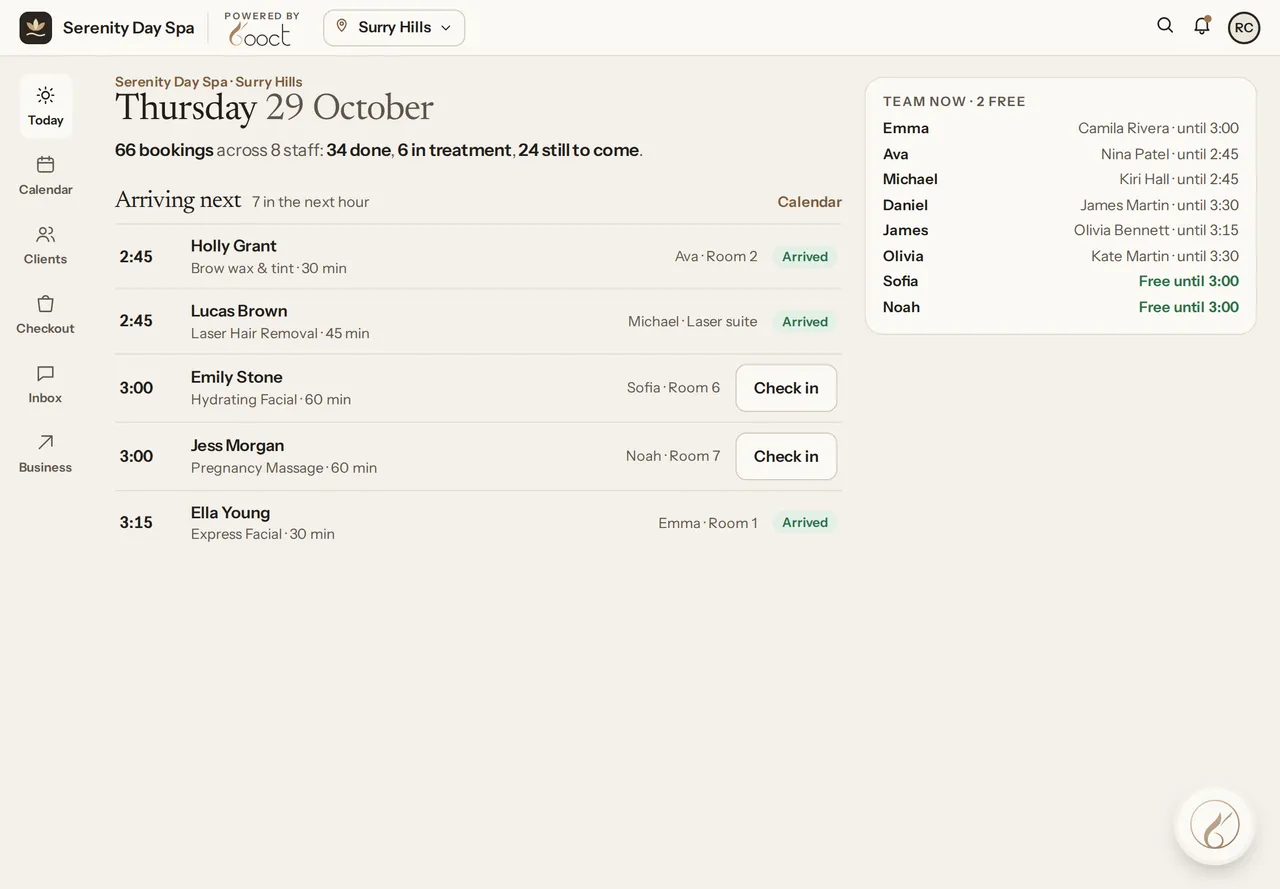
The front desk’s Today on the iPad at Serenity Day Spa: 66 bookings, 24 still to come, who’s arriving next and who on the team is free.
Front desk · iPad
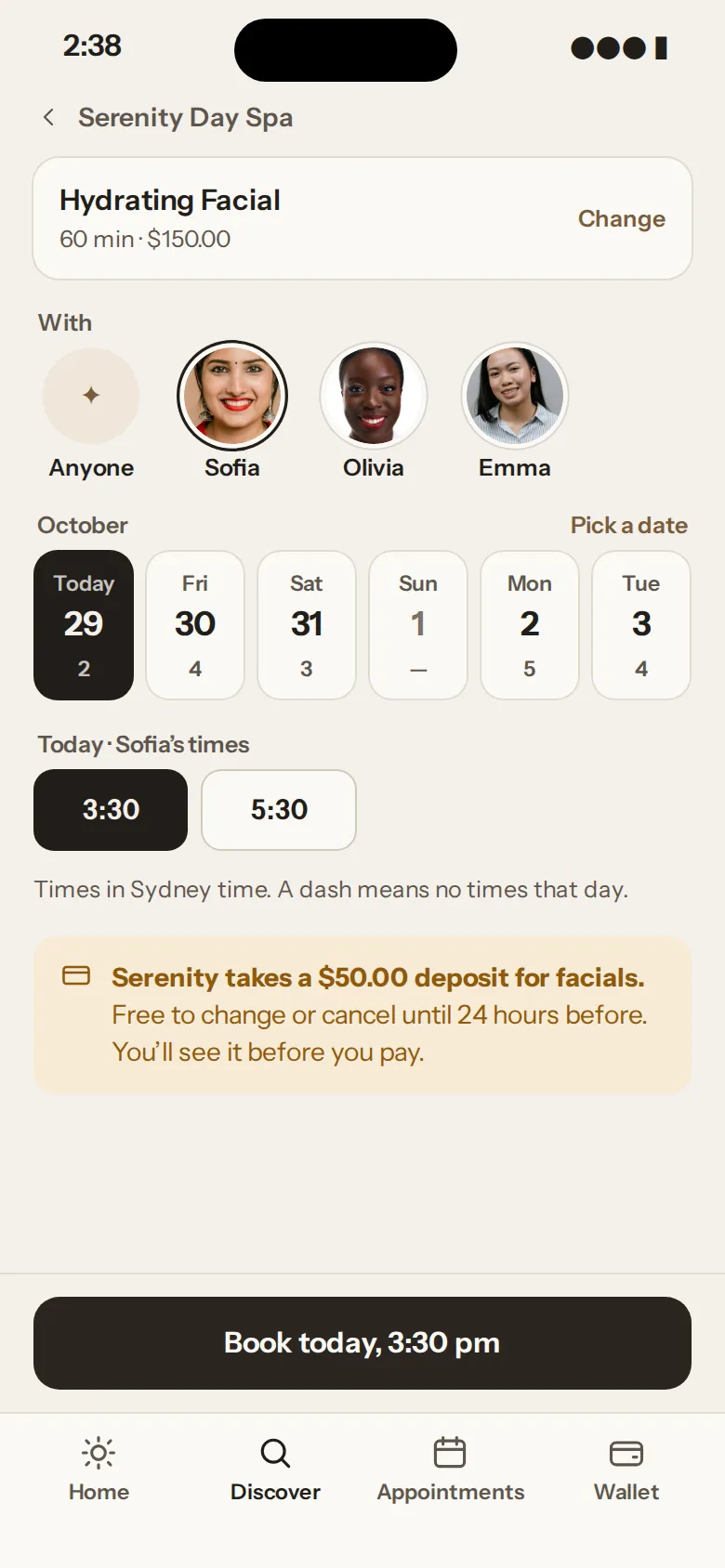
The BOOCT client app booking a Hydrating Facial with Sofia at Serenity Day Spa, today at 3:30 pm.
Your client · iPhone
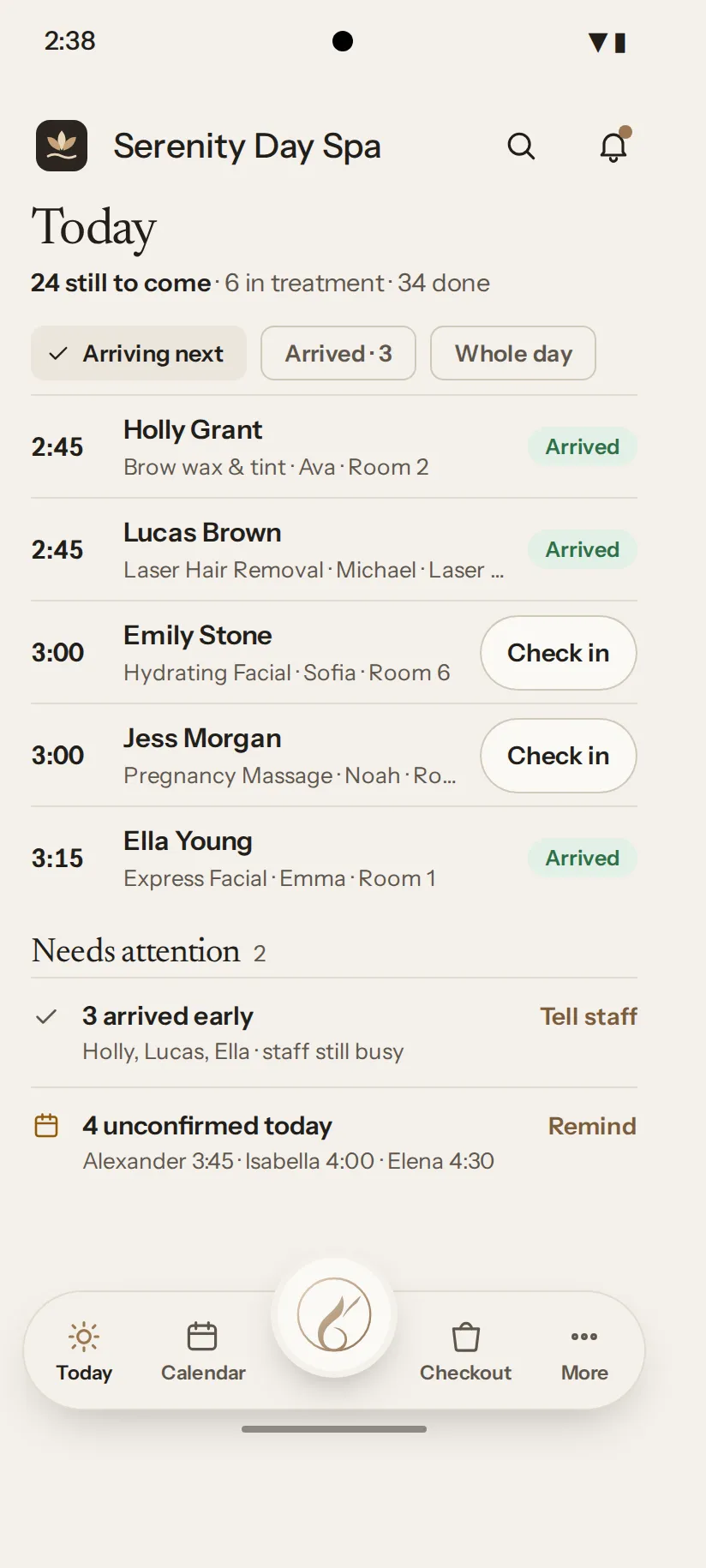
Sofia’s Android phone: Today at Serenity Day Spa, with 24 still to come, who’s arriving next and what needs attention.
Sofia · Android

For your team

The staff app

iPhone · iPad · Android

  • Treatment records, drawings and photos at the chair
  • Checkout with your own card reader

For your clients

The client app

iPhone · Android

  • Book with you any time, or rebook their usual
  • Their Wallet: gift cards and points, plus memberships and packages on iPhone

No app needed. Clients can book, pay and sign forms from a link.

Take payment

Your own card reader

At launch, you’ll connect the card reader from your own Stripe or Square account and take payment at the desk.

Card readers at launch

Join early access

The apps open to early-access salons first.

Questions

Questions salon owners ask.

Still not sure? Join early access and we’ll walk you through it.

How much does BOOCT salon software cost?

$30 a month for your first team member and $20 for each extra, billed monthly. Every feature’s included, there’s no lock-in and no charge per location. Nothing to pay today.

Is there a lock-in contract?

No. Leave any time, and export your clients, bookings and sales whenever you like.

Can I switch from Fresha, Timely or Mindbody?

Yes. When BOOCT opens, upload your export and it walks you through bringing across your clients, services, team and products. Fresha and Timely exports work as they are; anything else comes in as a spreadsheet. Or send it to us and we’ll do the whole move for you, free, bookings included. Treatment records, forms and photos stay in your old system for now. You check everything before it’s final, and your originals stay untouched.

Can I use my own card terminal?

Yes. At launch you’ll connect your own Stripe or Square account and card reader. BOOCT adds nothing to your card payments; your provider’s own fees apply.

What hardware do I need?

Nothing to start. BOOCT runs in the browser at the desk, on an iPad and on your phone. When you go live, you’ll connect your own Stripe or Square card reader to take card payments.

Do my clients need to download an app?

No. They can book, pay and sign forms from a link. The BOOCT app is there for clients who’d like their bookings, memberships and gift cards in one Wallet.

Does BOOCT take commission on my bookings?

No. BOOCT never takes commission on your bookings.

Does it handle consent forms and treatment records for clinics?

Yes. Build your own consent and intake forms, and clients sign them before they arrive. Chart on face or body diagrams with an Apple Pencil, and keep before and after photos, with photo consent, on each client’s record.

The calm way to run a busy salon.

Everything you need from day one, and help moving across. Nothing to pay today.

We’ll use your email to tell you when BOOCT opens and about early access. See our privacy policy.